
Streaming large CSV files in the browser with JavaScript
Learn how to process large CSV files in the browser without running out of memory using the Streams API, fetch streaming, and PapaParse.

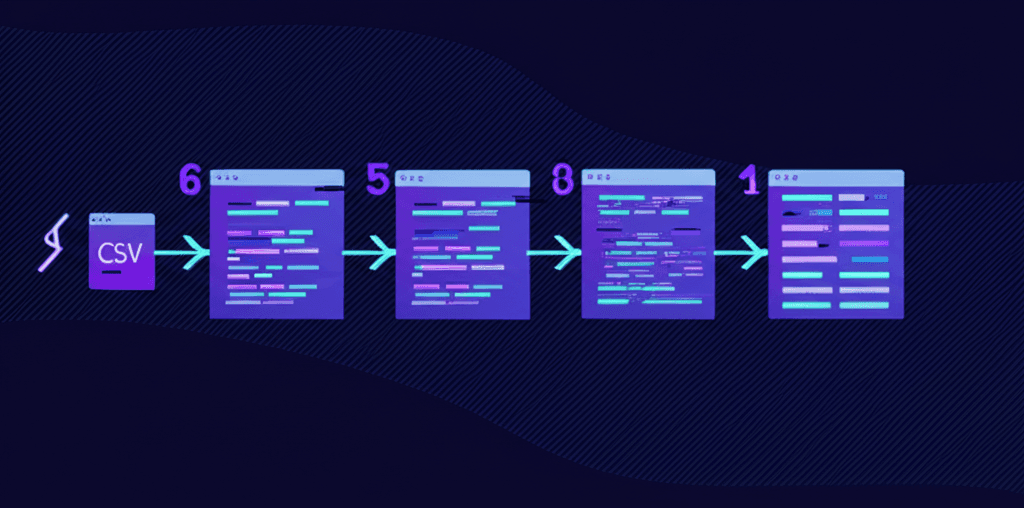
Loading a 500MB CSV file in the browser crashes most tabs. The entire file loads into memory before you can parse a single row. For large datasets, this approach fails.
Streaming solves this problem. Instead of loading the entire file at once, you process data in chunks as it arrives. The browser maintains a constant memory footprint regardless of file size.
This tutorial covers three approaches to streaming CSV files in the browser: PapaParse with streaming callbacks, the native Streams API with fetch, and custom TransformStreams for advanced use cases.
Prerequisites
- Node.js 18+
- Basic knowledge of async/await and Promises
- TypeScript (optional, but examples include types)
What you'll build
By the end of this tutorial, you will have working code for:
- Streaming CSV files from a URL using fetch
- Processing large local files with PapaParse
- Building a custom CSV parser with TransformStream
- A reusable React hook for streaming CSV imports with progress tracking
Why streaming matters for large CSV files
When you load a CSV file the traditional way, the browser:
- Downloads the entire file into memory
- Converts the bytes to a string
- Parses the string into rows
- Stores all rows in an array
For a 100MB CSV with 1 million rows, you need memory for the raw bytes, the string representation, and the parsed objects. That can easily exceed 500MB of browser memory.
Streaming changes this. With streaming:
- The browser downloads data in chunks (typically 5-10MB)
- You parse and process each chunk immediately
- Processed data can be sent to a database or aggregated
- Memory usage stays constant regardless of file size
This also improves user experience. Instead of a frozen UI during download, users see progress as rows process in real-time.
Step 1: Streaming CSV with PapaParse
PapaParse is the most popular CSV parsing library for JavaScript. It supports streaming out of the box with two callback modes: step (row-by-row) and chunk (batch processing).
Install PapaParse and its TypeScript types:
npm install papaparse
npm install --save-dev @types/papaparse
Row-by-row streaming with step callback
The step callback fires for each row as it is parsed:
import Papa from 'papaparse';

interface CSVRow {
  name: string;
  email: string;
  amount: string;
}

function streamCSVRowByRow(file: File): Promise<void> {
  return new Promise((resolve, reject) => {
    let rowCount = 0;

    Papa.parse<CSVRow>(file, {
      header: true,
      step: (results) => {
        rowCount++;
        // Process each row as it arrives
        console.log(`Row ${rowCount}:`, results.data);

        // Send to API, update database, aggregate stats, etc.
      },
      complete: () => {
        console.log(`Finished processing ${rowCount} rows`);
        resolve();
      },
      error: (error) => {
        reject(error);
      }
    });
  });
}
The step callback receives a results object containing:
results.data- The parsed row as an object (whenheader: true) or arrayresults.errors- Any parsing errors for this rowresults.meta- Metadata about the parse operation
Batch streaming with chunk callback
For better performance with large files, use the chunk callback to process rows in batches:
import Papa from 'papaparse';

interface CSVRow {
  id: string;
  value: string;
}

interface StreamProgress {
  rowsProcessed: number;
  bytesLoaded: number;
}

function streamCSVInChunks(
  file: File,
  onProgress?: (progress: StreamProgress) => void
): Promise<void> {
  return new Promise((resolve, reject) => {
    let totalRows = 0;
    let bytesLoaded = 0;

    Papa.parse<CSVRow>(file, {
      header: true,
      chunkSize: 10485760, // 10MB chunks (default for local files)
      chunk: (results, parser) => {
        totalRows += results.data.length;
        bytesLoaded = results.meta.cursor;

        // Process batch of rows
        processBatch(results.data);

        // Report progress
        onProgress?.({
          rowsProcessed: totalRows,
          bytesLoaded
        });

        // Optional: pause parser for backpressure
        // parser.pause();
        // After async work: parser.resume();
      },
      complete: () => {
        console.log(`Completed: ${totalRows} rows processed`);
        resolve();
      },
      error: (error) => {
        reject(error);
      }
    });
  });
}

function processBatch(rows: CSVRow[]): void {
  // Validate, transform, or send rows to API
  for (const row of rows) {
    // Your processing logic here
  }
}
Non-blocking parsing with Web Workers
By default, PapaParse runs on the main thread and can freeze the UI during parsing. Enable Web Worker mode to keep the page responsive:
import Papa from 'papaparse';

interface CSVRow {
  [key: string]: string;
}

function streamCSVWithWorker(file: File): Promise<CSVRow[]> {
  return new Promise((resolve, reject) => {
    const allRows: CSVRow[] = [];

    Papa.parse<CSVRow>(file, {
      header: true,
      worker: true, // Parse in Web Worker - UI stays responsive
      step: (results) => {
        allRows.push(results.data);
      },
      complete: () => {
        resolve(allRows);
      },
      error: (error) => {
        reject(error);
      }
    });
  });
}
When worker: true is set, PapaParse spawns a Web Worker to handle parsing. The main thread receives results through message passing, keeping your UI smooth even with million-row files.
Step 2: Native Streams API with fetch
For streaming CSV files from a URL, the native Streams API provides fine-grained control. The fetch API returns a ReadableStream in response.body that you can process incrementally.
Basic fetch streaming
async function streamCSVFromURL(url: string): Promise<void> {
  const response = await fetch(url);

  if (!response.ok) {
    throw new Error(`HTTP error: ${response.status}`);
  }

  if (!response.body) {
    throw new Error('ReadableStream not supported');
  }

  // Pipe through TextDecoderStream to convert bytes to text
  const stream = response.body.pipeThrough(new TextDecoderStream());

  // Iterate over text chunks
  for await (const chunk of stream) {
    console.log('Received chunk:', chunk.length, 'characters');
    // Process chunk - but note: chunks may split mid-line
  }
}
The TextDecoderStream transforms binary chunks into text. However, chunks can split in the middle of a line, so you need additional logic to handle line boundaries.
Line-by-line iteration
This generator function handles line boundaries correctly:
async function* makeLineIterator(
  url: string
): AsyncGenerator<string, void, unknown> {
  const response = await fetch(url);

  if (!response.body) {
    throw new Error('ReadableStream not supported');
  }

  const reader = response.body
    .pipeThrough(new TextDecoderStream())
    .getReader();

  let buffer = '';
  const newline = /\r?\n/;

  while (true) {
    const { value, done } = await reader.read();

    if (done) {
      // Yield any remaining content
      if (buffer.length > 0) {
        yield buffer;
      }
      break;
    }

    buffer += value;

    // Extract complete lines from buffer
    let match: RegExpExecArray | null;
    while ((match = newline.exec(buffer)) !== null) {
      yield buffer.slice(0, match.index);
      buffer = buffer.slice(match.index + match[0].length);
    }
  }
}

// Usage
async function processCSVLines(url: string): Promise<void> {
  let lineNumber = 0;
  let headers: string[] = [];

  for await (const line of makeLineIterator(url)) {
    lineNumber++;

    if (lineNumber === 1) {
      headers = line.split(',');
      console.log('Headers:', headers);
      continue;
    }

    const values = line.split(',');
    const row = Object.fromEntries(
      headers.map((header, i) => [header, values[i]])
    );

    console.log(`Row ${lineNumber}:`, row);
  }
}
This approach works for simple CSV files. For CSV files with quoted fields containing commas or newlines, you need a proper parser.
Step 3: Custom TransformStream for CSV parsing
For full control over streaming CSV parsing, build a custom TransformStream. This approach lets you integrate with any streaming pipeline.
interface ParsedRow {
  [key: string]: string;
}

class CSVParserStream extends TransformStream<string, ParsedRow> {
  private headers: string[] = [];
  private buffer = '';
  private isFirstLine = true;

  constructor() {
    super({
      transform: (chunk, controller) => {
        this.buffer += chunk;
        this.processBuffer(controller);
      },
      flush: (controller) => {
        // Process any remaining data
        if (this.buffer.trim()) {
          this.parseLine(this.buffer.trim(), controller);
        }
      }
    });
  }

  private processBuffer(
    controller: TransformStreamDefaultController<ParsedRow>
  ): void {
    const lines = this.buffer.split(/\r?\n/);

    // Keep the last incomplete line in buffer
    this.buffer = lines.pop() || '';

    for (const line of lines) {
      if (line.trim()) {
        this.parseLine(line, controller);
      }
    }
  }

  private parseLine(
    line: string,
    controller: TransformStreamDefaultController<ParsedRow>
  ): void {
    // Simple CSV parsing (does not handle quoted fields)
    const values = line.split(',').map(v => v.trim());

    if (this.isFirstLine) {
      this.headers = values;
      this.isFirstLine = false;
      return;
    }

    const row: ParsedRow = {};
    this.headers.forEach((header, index) => {
      row[header] = values[index] || '';
    });

    controller.enqueue(row);
  }
}

// Usage with fetch
async function streamWithCustomParser(url: string): Promise<void> {
  const response = await fetch(url);

  if (!response.body) {
    throw new Error('ReadableStream not supported');
  }

  const csvStream = response.body
    .pipeThrough(new TextDecoderStream())
    .pipeThrough(new CSVParserStream());

  for await (const row of csvStream) {
    console.log('Parsed row:', row);
  }
}
Note: This simple parser does not handle CSV edge cases like quoted fields, escaped quotes, or fields containing newlines. For production use, combine this streaming approach with a proper CSV parser like PapaParse.
Step 4: Memory management techniques
Streaming prevents memory issues, but you still need to manage resources carefully.
Cancel streams with AbortController
Always provide a way to cancel long-running streams:
async function streamWithCancellation(
  url: string,
  signal: AbortSignal
): Promise<void> {
  const response = await fetch(url, { signal });

  if (!response.body) {
    throw new Error('ReadableStream not supported');
  }

  const reader = response.body
    .pipeThrough(new TextDecoderStream())
    .getReader();

  try {
    while (true) {
      const { value, done } = await reader.read();

      if (done) break;

      // Check if cancelled
      if (signal.aborted) {
        await reader.cancel();
        throw new Error('Stream cancelled');
      }

      // Process chunk
      console.log('Chunk received:', value?.length);
    }
  } finally {
    reader.releaseLock();
  }
}

// Usage
const controller = new AbortController();

// Cancel after 5 seconds
setTimeout(() => controller.abort(), 5000);

streamWithCancellation('/large-file.csv', controller.signal)
  .catch(err => console.log('Streaming stopped:', err.message));
Track progress for user feedback
Calculate progress based on Content-Length header:
interface ProgressInfo {
  loaded: number;
  total: number | null;
  percentage: number | null;
}

async function streamWithProgress(
  url: string,
  onProgress: (progress: ProgressInfo) => void
): Promise<string[]> {
  const response = await fetch(url);

  if (!response.body) {
    throw new Error('ReadableStream not supported');
  }

  const contentLength = response.headers.get('Content-Length');
  const total = contentLength ? parseInt(contentLength, 10) : null;

  const reader = response.body.getReader();
  const chunks: Uint8Array[] = [];
  let loaded = 0;

  while (true) {
    const { value, done } = await reader.read();

    if (done) break;

    chunks.push(value);
    loaded += value.length;

    onProgress({
      loaded,
      total,
      percentage: total ? Math.round((loaded / total) * 100) : null
    });
  }

  // Combine chunks and decode
  const allChunks = new Uint8Array(loaded);
  let position = 0;
  for (const chunk of chunks) {
    allChunks.set(chunk, position);
    position += chunk.length;
  }

  const text = new TextDecoder().decode(allChunks);
  return text.split(/\r?\n/).filter(line => line.trim());
}
Configure chunk sizes in PapaParse
PapaParse uses different default chunk sizes for local and remote files:
import Papa from 'papaparse';

// View defaults
console.log('Local chunk size:', Papa.LocalChunkSize);   // 10485760 (10MB)
console.log('Remote chunk size:', Papa.RemoteChunkSize); // 5242880 (5MB)

// Override defaults globally
Papa.LocalChunkSize = 5242880;  // 5MB for local files
Papa.RemoteChunkSize = 2097152; // 2MB for remote files

// Or per-parse
Papa.parse(file, {
  chunkSize: 1048576, // 1MB chunks
  chunk: (results) => {
    console.log('Processing', results.data.length, 'rows');
  }
});
Smaller chunks mean more frequent callbacks but lower memory spikes. Larger chunks are more efficient but require more memory per batch.
Step 5: React hook for streaming CSV
Here is a reusable React hook that handles streaming CSV files with progress tracking and cleanup:
import { useState, useCallback, useRef, useEffect } from 'react';
import Papa from 'papaparse';

interface StreamState<T> {
  status: 'idle' | 'streaming' | 'complete' | 'error';
  progress: number;
  rowsProcessed: number;
  error: Error | null;
  data: T[];
}

interface UseStreamCSVOptions<T> {
  onRow?: (row: T, index: number) => void;
  onComplete?: (rows: T[]) => void;
  collectRows?: boolean;
}

export function useStreamCSV<T extends Record<string, string>>(
  options: UseStreamCSVOptions<T> = {}
) {
  const { onRow, onComplete, collectRows = true } = options;

  const [state, setState] = useState<StreamState<T>>({
    status: 'idle',
    progress: 0,
    rowsProcessed: 0,
    error: null,
    data: []
  });

  const parserRef = useRef<Papa.Parser | null>(null);
  const rowsRef = useRef<T[]>([]);

  const streamFile = useCallback((file: File) => {
    rowsRef.current = [];

    setState({
      status: 'streaming',
      progress: 0,
      rowsProcessed: 0,
      error: null,
      data: []
    });

    Papa.parse<T>(file, {
      header: true,
      worker: true,
      step: (results, parser) => {
        parserRef.current = parser;
        const rowIndex = rowsRef.current.length;

        if (collectRows) {
          rowsRef.current.push(results.data);
        }

        onRow?.(results.data, rowIndex);

        setState(prev => ({
          ...prev,
          rowsProcessed: rowIndex + 1,
          progress: results.meta.cursor
            ? Math.round((results.meta.cursor / file.size) * 100)
            : 0
        }));
      },
      complete: () => {
        const finalData = collectRows ? [...rowsRef.current] : [];

        setState(prev => ({
          ...prev,
          status: 'complete',
          progress: 100,
          data: finalData
        }));

        onComplete?.(finalData);
      },
      error: (error) => {
        setState(prev => ({
          ...prev,
          status: 'error',
          error: new Error(error.message)
        }));
      }
    });
  }, [onRow, onComplete, collectRows]);

  const cancel = useCallback(() => {
    if (parserRef.current) {
      parserRef.current.abort();
      setState(prev => ({
        ...prev,
        status: 'idle',
        progress: 0
      }));
    }
  }, []);

  const reset = useCallback(() => {
    rowsRef.current = [];
    setState({
      status: 'idle',
      progress: 0,
      rowsProcessed: 0,
      error: null,
      data: []
    });
  }, []);

  // Cleanup on unmount
  useEffect(() => {
    return () => {
      if (parserRef.current) {
        parserRef.current.abort();
      }
    };
  }, []);

  return {
    ...state,
    streamFile,
    cancel,
    reset
  };
}
Usage in a component:
import { useStreamCSV } from './useStreamCSV';

interface UserRow {
  name: string;
  email: string;
  role: string;
}

function CSVUploader() {
  const {
    status,
    progress,
    rowsProcessed,
    error,
    data,
    streamFile,
    cancel,
    reset
  } = useStreamCSV<UserRow>({
    onRow: (row, index) => {
      // Optional: process each row as it streams
      if (index < 5) {
        console.log('Preview row:', row);
      }
    },
    onComplete: (rows) => {
      console.log(`Finished importing ${rows.length} users`);
    }
  });

  const handleFileChange = (e: React.ChangeEvent<HTMLInputElement>) => {
    const file = e.target.files?.[0];
    if (file) {
      streamFile(file);
    }
  };

  return (
    <div>
      <input
        type="file"
        accept=".csv"
        onChange={handleFileChange}
        disabled={status === 'streaming'}
      />

      {status === 'streaming' && (
        <div>
          <progress value={progress} max={100} />
          <p>{rowsProcessed.toLocaleString()} rows processed ({progress}%)</p>
          <button onClick={cancel}>Cancel</button>
        </div>
      )}

      {status === 'complete' && (
        <div>
          <p>Imported {data.length.toLocaleString()} rows</p>
          <button onClick={reset}>Import Another</button>
        </div>
      )}

      {status === 'error' && (
        <div>
          <p>Error: {error?.message}</p>
          <button onClick={reset}>Try Again</button>
        </div>
      )}
    </div>
  );
}
Complete example
Here is a full working example that combines PapaParse streaming with progress tracking and error handling:
import Papa from 'papaparse';

interface CSVRow {
  [key: string]: string;
}

interface ImportResult {
  success: boolean;
  rowCount: number;
  errors: Papa.ParseError[];
  duration: number;
}

export async function importLargeCSV(
  file: File,
  onProgress?: (percent: number, rows: number) => void
): Promise<ImportResult> {
  const startTime = Date.now();
  const errors: Papa.ParseError[] = [];
  let rowCount = 0;

  return new Promise((resolve, reject) => {
    Papa.parse<CSVRow>(file, {
      header: true,
      worker: true,
      skipEmptyLines: true,
      chunk: (results, parser) => {
        // Collect errors from this chunk
        if (results.errors.length > 0) {
          errors.push(...results.errors);
        }

        // Process the batch
        for (const row of results.data) {
          rowCount++;
          // Your row processing logic here
          // e.g., validate, transform, queue for API
        }

        // Report progress
        const percent = Math.round((results.meta.cursor / file.size) * 100);
        onProgress?.(percent, rowCount);
      },
      complete: () => {
        resolve({
          success: errors.length === 0,
          rowCount,
          errors,
          duration: Date.now() - startTime
        });
      },
      error: (error) => {
        reject(error);
      }
    });
  });
}

// Usage
const file = document.querySelector<HTMLInputElement>('#csv-input')?.files?.[0];

if (file) {
  const result = await importLargeCSV(file, (percent, rows) => {
    console.log(`Progress: ${percent}% (${rows} rows)`);
  });

  console.log(`Imported ${result.rowCount} rows in ${result.duration}ms`);

  if (result.errors.length > 0) {
    console.warn('Parse errors:', result.errors);
  }
}
Common pitfalls
Locked stream error
Problem: Attempting to read from a stream that already has a reader attached throws "ReadableStream is locked" error.
// This fails
const reader1 = response.body.getReader();
const reader2 = response.body.getReader(); // Error: ReadableStream is lockedSolution: Use tee() to split a stream into two independent branches:
const [stream1, stream2] = response.body.tee();
const reader1 = stream1.getReader();
const reader2 = stream2.getReader();
Response body already consumed
Problem: Reading response.body or calling response.text() marks the response as "disturbed". Attempting to read again fails.
const text = await response.text();
const body = response.body; // null - already consumedSolution: Clone the response before reading:
const response = await fetch(url);
const clonedResponse = response.clone();

const text = await response.text();
const stream = clonedResponse.body; // Works
Incomplete final line
Problem: The last line of a CSV file might not end with a newline character, causing it to be missed when splitting by \n.
const lines = chunk.split('\n');
// Last element might be incomplete if chunk ends mid-lineSolution: Buffer incomplete lines and process them with the next chunk:
let buffer = '';

function processChunk(chunk: string): string[] {
  buffer += chunk;
  const lines = buffer.split('\n');
  buffer = lines.pop() || ''; // Save incomplete last line
  return lines;
}

function flush(): string | null {
  return buffer.length > 0 ? buffer : null;
}
Character encoding issues
Problem: CSV files may use different encodings (UTF-8, ISO-8859-1, etc.). Wrong encoding causes garbled text.
Solution: Specify encoding when creating TextDecoder:
// Default UTF-8
const decoder = new TextDecoderStream();

// For Latin-1 encoded files
const decoder = new TextDecoder('iso-8859-1');

// With error handling
const decoder = new TextDecoder('utf-8', { fatal: true });
Memory leaks from uncancelled streams
Problem: Streams that are not properly cancelled continue consuming resources.
Solution: Always cancel or release readers in cleanup:
// In React useEffect
useEffect(() => {
  const controller = new AbortController();

  fetchAndStream(url, controller.signal);

  return () => {
    controller.abort(); // Cancel on unmount
  };
}, [url]);

// With reader
const reader = stream.getReader();
try {
  // ... process stream
} finally {
  reader.releaseLock(); // Always release
}
Browser compatibility
All streaming APIs covered in this tutorial are widely supported:
| Feature | Chrome | Firefox | Safari | Edge |
|---|---|---|---|---|
| ReadableStream | 43+ | 65+ | 10.1+ | 79+ |
| TransformStream | 67+ | 102+ | 14.1+ | 79+ |
| TextDecoderStream | 71+ | 105+ | 14.1+ | 79+ |
| for await...of streams | 63+ | 57+ | 11.1+ | 79+ |
These APIs have been baseline features since 2022. For older browser support, PapaParse works everywhere including IE 10+.
The easier way: ImportCSV
Building streaming CSV imports from scratch requires handling edge cases like quoted fields, encoding detection, progress tracking, and error recovery. For a production-ready solution, consider ImportCSV.
ImportCSV provides a drop-in React component that handles all of this automatically:
import { CSVImporter } from '@importcsv/react';

<CSVImporter
  onComplete={(data) => {
    console.log(`Imported ${data.rows.length} rows`);
  }}
/>
The component streams files of any size, provides built-in validation, and shows progress to users without any configuration.
Related posts
Wrap-up
CSV imports shouldn't slow you down. ImportCSV aims to expand into your workflow — whether you're building data import flows, handling customer uploads, or processing large datasets.
If that sounds like the kind of tooling you want to use, try ImportCSV .