
Best CSV Viewers and Readers 2026: 12 Tools Compared
Stop opening CSVs in Excel. These 12 CSV viewers handle large files faster, protect your data privacy, and cost nothing. From browser-based to desktop apps.

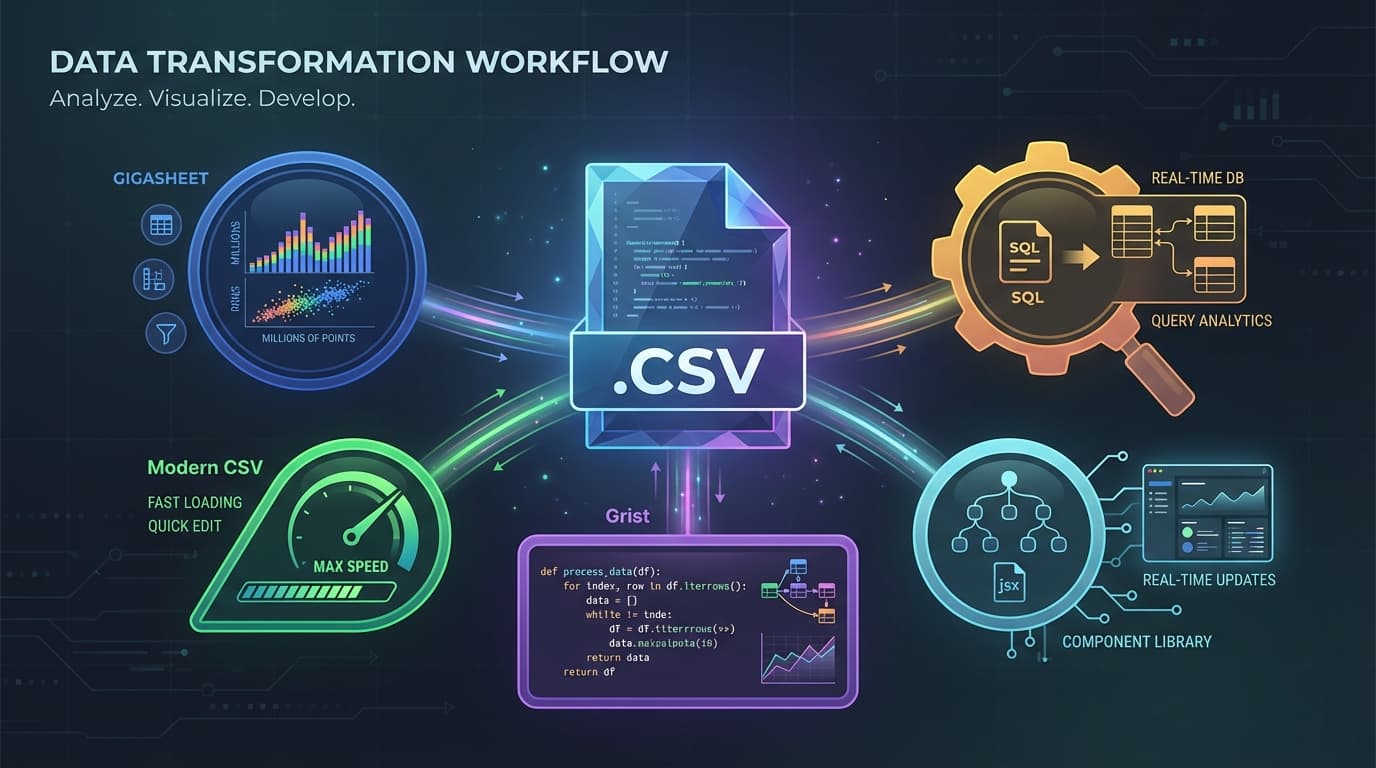
The best CSV viewer depends on what you're actually doing. Need to peek at a 50MB file quickly? Use a browser-based tool. Processing 10GB of customer data? You need something with muscle. Privacy-sensitive financial records? Keep it local.
Excel can technically open CSV files. But it's slow, mangles data types, and tops out at 1,048,576 rows per sheet. Google Sheets has a 10 million cell limit. Neither is built for this job.
Here are 12 CSV viewers that are—free options included, with honest notes on where each one falls short.
Quick Comparison: CSV Viewers at a Glance
| Tool | Type | Best For | Max File Size | Price |
|---|---|---|---|---|
| Modern CSV | Desktop | Power users, speed | Local storage | Free / Premium |
| Grist | Online | Privacy, embedding | Browser memory | Free |
| Gigasheet | Online | Huge files (100GB+) | 100GB | Free / Premium |
| ConvertCSV | Online | Quick viewing | ~100MB | Free |
| Datablist | Online | Data cleaning | Large | Free |
| CSViewer | Desktop | Windows users | Local storage | Free |
| CSVed | Desktop | Scripting, automation | Moderate | Free |
| Sheetlore | Online | Mobile viewing | Moderate | Free |
| HQCSV | Online | Simple analysis | 10MB | Free |
| Retable | Browser ext | In-browser viewing | Moderate | Free |
| csv-viewer-online | Online | Zero friction | Small-medium | Free |
| Aspose CSV Viewer | Online | Quick preview | Moderate | Free |
What Actually Matters in a CSV Viewer
Before the tool breakdown, here's what separates good from garbage:
File size handling. Can it open your file without freezing? Excel maxes out at ~1 million rows. Some online tools cap at 10MB. Know your limits before you start.
Speed. Modern CSV claims 11x faster than Excel. Some tools load instantly; others make you wait. If you're checking files repeatedly, speed matters.
Data privacy. Online tools send your data to servers. Desktop tools keep it local. If you're viewing customer PII or financial data, this isn't optional—it's a requirement.
Format preservation. Some tools reformat dates, strip leading zeros from phone numbers, or "helpfully" convert text to numbers. Good viewers show you the raw data. (This is why CSV parsing matters—garbage in, garbage out.)
Edit vs. view. Do you need to fix typos? Or just see what's in the file? View-only modes load faster but won't let you change anything.
Best Online CSV Viewers
These run in your browser. No download required. The tradeoff: most send your data to their servers, and you're limited by browser memory.
1. Grist CSV Viewer
Website: getgrist.com/csv-viewer
What it is: An open-source, browser-based CSV viewer that processes everything client-side. Your data never leaves your browser.
Why it stands out: Privacy. Zero third-party tracking. No data sent to servers. You can even self-host it on your own CDN if you're paranoid (in a good way).
Key features:
- Full spreadsheet formulas (IF, YEAR, SUM)
- Python-powered formulas for advanced users
- Sorting and filtering
- Copy/paste between apps
- Embeddable with two lines of HTML
The embed is dead simple:
<script src="https://grist-static.com/csv-viewer.js"></script>
<button data-grist-csv-open="your-file.csv">View CSV</button>
Limitations: File size limited by browser memory. Multi-gigabyte files won't work here. No cloud storage or collaboration features.
Best for: Developers embedding CSV viewing, privacy-conscious users, anyone who wants their data to stay local.
Price: Free and open-source.
2. Gigasheet
Website: gigasheet.com
What it is: A cloud-based spreadsheet built specifically for massive files. We're talking 100GB+ CSVs with billions of rows.
Why it stands out: Scale. If Excel or Sheets has ever crashed trying to open your file, Gigasheet won't. It's designed for the files other tools can't handle.
Key features:
- Handles files up to 100GB
- Billion-row support on premium plans
- Filter, group, pivot tables
- Team sharing and collaboration
- Database and warehouse connections (business plans)
- Encryption at rest and in transit
Limitations: Your data goes to their cloud. Not ideal for sensitive information. Free tier has size limits—premium needed for truly massive files.
Best for: Data teams working with large exports, business analysts who've outgrown Excel, anyone sick of "file too large" errors.
Price: Free tier available. Premium plans for larger files and team features.
3. ConvertCSV
What it is: The #1 result for "csv viewer" in search. A straightforward online viewer/editor that also converts CSV to JSON, XML, and SQL.
Why it stands out: It just works. Upload, view, done. No signup required. The conversion features are handy if you need to transform data.
Key features:
- View and edit CSV files
- Convert to JSON, XML, SQL, Excel
- Auto-detect delimiters
- Basic editing capabilities
- No account required
Limitations: The interface looks like it was built in 2010. No search, sort, or filter in the editor. Larger files (100MB+) may struggle.
Best for: Quick one-off file viewing when you don't want to sign up for anything. Format conversion.
Price: Free.
4. Datablist
What it is: An online CSV editor focused on data cleaning. Think of it as a lightweight alternative to traditional spreadsheets, optimized for CSV work.
Why it stands out: The deduplication and data cleaning features. If your CSV has messy data, duplicate rows, or needs merging with another file, this handles it well.
Key features:
- Large file support in browser
- Deduplication built-in
- Data cleaning and merging
- Hide columns you don't need
- Translation features
- Sorting and filtering
Limitations: There's a learning curve. If you just want to view a file quickly, it's more than you need. The interface isn't the most intuitive.
Best for: Data cleaning, deduplicating lists, merging multiple CSV files.
Price: Free.
5. Sheetlore
What it is: A mobile-friendly online CSV viewer with good search and filter capabilities.
Why it stands out: It actually works well on phones. Most CSV viewers assume you're on a desktop with a big screen. Sheetlore's responsive design makes it usable on mobile.
Key features:
- Global search filter
- Column-level filtering and sorting
- Paginated, responsive tables
- Mobile-friendly design
- In-cell editing
- Download edited files
Limitations: File size limits aren't clearly documented. Probably best for small to medium files.
Best for: Viewing CSVs on mobile, quick edits when you're away from your computer.
Price: Free. Pro version (data science automation) coming.
6. HQCSV
What it is: A simple online CSV viewer focused on analysis. All processing happens locally in your browser.
Why it stands out: You can download filtered versions of your CSV. Handy when you need to extract a subset of data.
Key features:
- Local processing (data stays in browser)
- Search and filtering
- Analysis capabilities
- Export filtered results
Limitations: Strict size limits. 10MB max file size. Recommended max of 100,000 rows and 100 columns. This is for smaller files only.
Best for: Quick analysis of small CSV files when you need to filter and export.
Price: Free.
Best Desktop CSV Viewers
Desktop tools keep your data local, handle larger files, and typically load faster. The tradeoff: you need to download and install something.
7. Modern CSV
Website: moderncsv.com
What it is: A dedicated CSV editor for Windows, Mac, and Linux. Built specifically for people who work with CSV files regularly.
Why it stands out: Speed and features. The company claims it opens files 11x faster than Excel. It handles multiple encodings, delimiters, and massive files without breaking a sweat.
Key features:
- Read-only mode for fast loading of large files
- Multiple encoding support (UTF-8, UTF-16, ISO 8859, CJK, etc.)
- Multiple delimiter support (CSV, TSV, PSV, any custom delimiter)
- Native Apple Silicon support
- Statistics, column analysis, pivot tables
- Full customization (themes, keyboard shortcuts)
- JSON/XML import and export
Premium-only features:
- Date/time format conversion
- Table transpose
- Print and PDF export
- Column lookup
Used by: Data teams at Amazon, FedEx, Siemens, and JPL (according to their website logos).
Limitations: The free version has feature limits. Some advanced features need Premium. It's a dedicated tool—overkill if you open one CSV per year.
Best for: Data scientists, analysts, anyone who opens CSV files daily. Privacy-focused workflows where data can't leave your machine.
Price: Free version available. Premium license for advanced features.
8. CSViewer
What it is: A free Windows desktop application for viewing and editing CSV files.
Why it stands out: It's fast, free, and has features you'd expect from paid software—charts, pivot tables, regex search.
Key features:
- Fast loading with real-time updates
- Filters and sorting
- Chart visualization
- Pivot tables
- Export to CSV, Excel, JSON, XML
- Regex pattern search
- Formula support
Limitations: Windows only. No Mac or Linux versions. The UI is functional but not pretty.
Best for: Windows users who want a free, full-featured CSV tool.
Price: Free.
9. CSVed
What it is: A Windows CSV editor with advanced features like scripting support and plugins.
Why it stands out: Automation capabilities. You can script with JavaScript or VBScript, use plugins, and run command-line operations. If you need to process CSVs as part of a larger workflow, this integrates well.
Key features:
- Open-source
- Multiple export formats
- Find and replace
- Data validation
- JavaScript/VBScript scripting
- Plugin support
- Command-line automation
Limitations: Windows only. Steep learning curve. Not great for very large files. Not designed for real-time collaboration.
Best for: Developers and power users who need to automate CSV processing.
Price: Free.
Browser Extensions
10. Retable CSV Viewer (Chrome Extension)
What it is: A Chrome extension that lets you view CSV files directly in your browser without downloading separate tools.
Why it stands out: Convenience. Click a CSV link, it opens in the viewer. No downloads, no separate applications.
Key features:
- View CSVs directly in Chrome
- Edit and share
- No download required
- Cloud-based collaboration (via Retable spreadsheet)
Limitations: Chrome only. Requires installing an extension. Free features are limited—they want you to use their full Retable product.
Best for: Chrome users who frequently click CSV links and want quick viewing.
Price: Free extension. Full Retable product has pricing tiers.
Other Notable Options
11. csv-viewer-online (GitHub Pages)
What it is: A minimal, fast-loading online viewer hosted on GitHub Pages.
Why it stands out: Simplicity. No features to figure out. Upload, view, done.
Limitations: Very basic. No editing, limited filtering.
Best for: When you just need to see what's in a file. Nothing more.
Price: Free.
12. Aspose CSV Viewer
What it is: A free online CSV viewer from Aspose (a document processing company).
Why it stands out: Part of a larger suite. If you work with multiple file formats, Aspose has viewers for everything.
Limitations: Generic tool, not CSV-optimized. Interface isn't as clean as dedicated tools.
Best for: Quick previews when you're already in the Aspose ecosystem.
Price: Free.
How to Choose the Right CSV Viewer
Choose an online viewer if:
- You need quick, one-time access
- Files are under 100MB
- You don't have sensitive data
- You're not near your usual computer
Choose a desktop app if:
- You work with CSVs regularly
- Files are large (100MB+)
- Data privacy matters
- You need advanced features (scripting, automation)
Specific recommendations:
| Situation | Use This |
|---|---|
| Massive files (1GB+) | Gigasheet |
| Privacy-sensitive data | Modern CSV or Grist |
| Quick online viewing | ConvertCSV or Grist |
| Desktop power user | Modern CSV |
| Windows + scripting | CSVed |
| Self-hosting requirement | Grist |
| Team collaboration | Gigasheet |
| Mobile viewing | Sheetlore |
| Data cleaning | Datablist |
FAQs
How do I view a CSV file?
The simplest way: double-click opens it in Excel or your default spreadsheet app. But if your file is large, corrupted, or you need privacy, use a dedicated viewer. Grist.com/csv-viewer lets you view instantly in browser without uploading to servers. For desktop, Modern CSV handles most situations.
What is the best tool to view CSV files?
It depends on file size and privacy needs. For files under 100MB with no sensitive data, Grist or ConvertCSV work well online. For large files (1GB+), Gigasheet handles what others can't. For privacy or regular use, Modern CSV is the desktop standard.
Can you open CSV without Excel?
Yes. You don't need Excel at all. Any text editor (Notepad, TextEdit) technically opens CSVs—you'll just see raw text. For an actual table view, use any tool in this guide. Grist, ConvertCSV, and Modern CSV all work without Excel installed.
How to open CSV for free?
Every tool in this article has a free tier or is completely free. Grist is open-source and fully free. ConvertCSV requires no account. Modern CSV has a free version. CSViewer and CSVed are completely free for Windows.
Why does Excel mess up my CSV data?
Excel tries to be "helpful." It converts text that looks like dates into dates (turning "1-2" into "January 2nd"). It strips leading zeros from numbers. It interprets scientific notation. CSV viewers show raw data as-is. If you need to preserve formatting, use a dedicated viewer instead of Excel. (More on this in our guide to CSV date formats.)
What's the best CSV viewer for large files?
Gigasheet handles files up to 100GB—nothing else comes close for browser-based tools. For desktop, Modern CSV's read-only mode can load very large files quickly with minimal memory footprint.
Are online CSV viewers safe?
It depends. Tools like Grist process data entirely in your browser—your file never leaves your computer. Others upload to servers. Check the privacy policy. For sensitive data, use a desktop tool or browser-based tools with client-side processing only.
Bottom Line
Excel isn't a CSV viewer. It's a spreadsheet that reluctantly opens CSVs while mangling your data.
For quick viewing without fuss: Grist (privacy-focused, browser-based) or ConvertCSV (simple, no signup).
For large files: Gigasheet handles what nothing else can.
For daily use: Modern CSV is the dedicated desktop tool built for this job.
Most of these are free. Try a couple, see what fits your workflow. The right tool saves hours of frustration when Excel crashes or corrupts your dates for the hundredth time.
Looking to build CSV import into your own application? ImportCSV handles the hard parts—validation, mapping, large file processing—so you don't have to.
Wrap-up
CSV imports shouldn't slow you down. ImportCSV aims to expand into your workflow — whether you're building data import flows, handling customer uploads, or processing large datasets.
If that sounds like the kind of tooling you want to use, try ImportCSV .