
Data Ingestion Architecture: 6 Patterns You Need to Know
From batch ETL to Kappa streaming, here are the 6 data ingestion architecture patterns. Learn when to use each and see real implementations from Netflix, Uber, and LinkedIn.

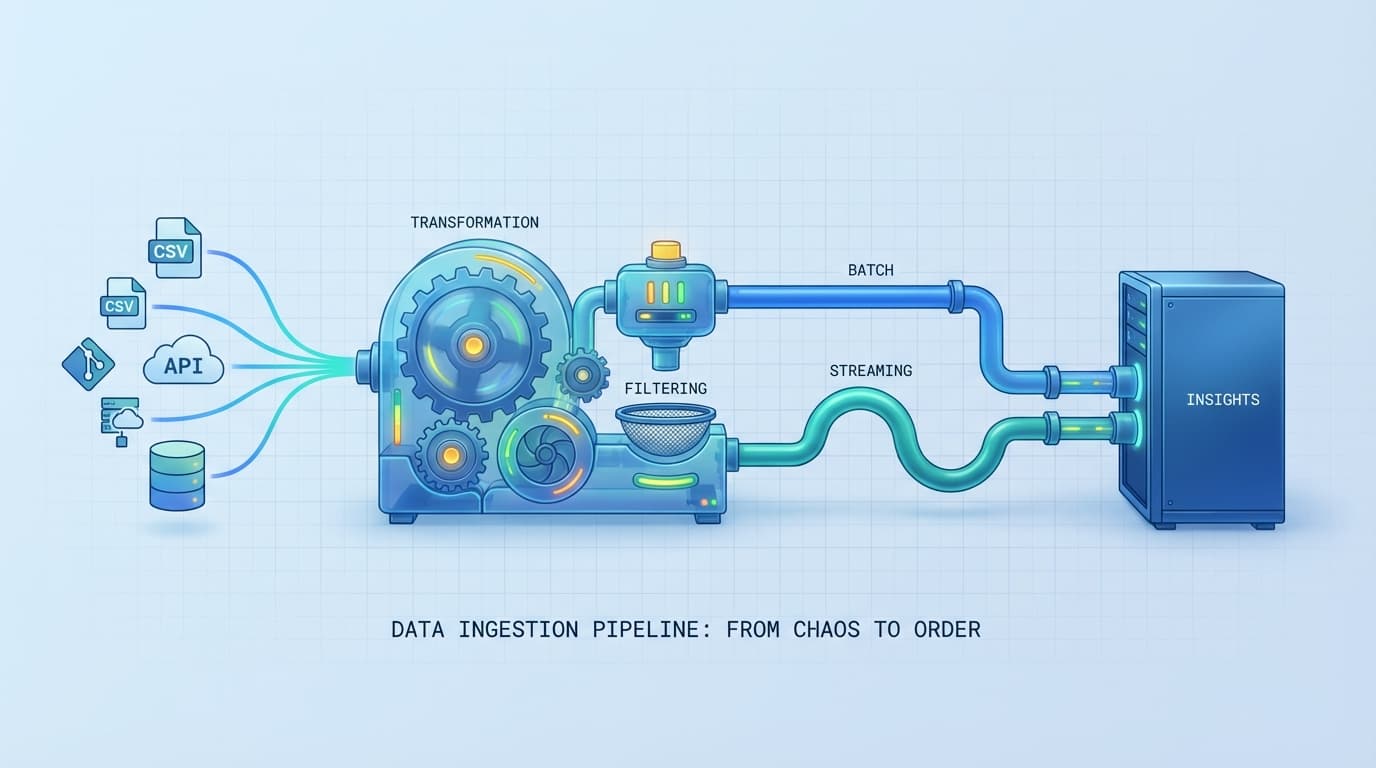
Data ingestion architecture determines how data flows from sources to storage. Choose wrong and you'll either over-engineer (Lambda when you need batch) or under-engineer (batch when you need real-time). Here's when to use each pattern.
This guide covers the six patterns you'll actually encounter in production: batch ETL, real-time streaming, ELT, Lambda, Kappa, and user-facing ingestion. We'll look at real implementations from Netflix, Uber, and LinkedIn, then give you a decision framework so you don't waste months building the wrong thing.
What Is Data Ingestion Architecture?
Data ingestion is moving data from where it originates to where you can analyze it. The architecture defines how that movement happens - in batches or streams, with transformations before or after loading, through one pipeline or two.
Every data ingestion pipeline has the same basic components:
- Data sources: Databases, APIs, files, IoT sensors, application events
- Ingestion layer: The tools that pull or receive data (Kafka, Kinesis, Sqoop)
- Processing: Where transformations happen (Spark, Flink, dbt)
- Storage: Where processed data lands (Snowflake, S3, BigQuery)
- Orchestration: What coordinates the pipeline (Airflow, Dagster)
The pattern you choose determines the latency, complexity, and cost of your system. A fraud detection system needs sub-second latency. Monthly sales reports don't. Building the same architecture for both is a mistake I've seen teams make repeatedly.
The 6 Data Ingestion Patterns
1. Batch Ingestion (Traditional ETL)
The pattern: Extract data from sources, transform it on a dedicated server, load it to your warehouse. Run it on a schedule - nightly, hourly, whatever makes sense for your use case.
When to use it: Your data can be stale by hours or days. Financial reports at end-of-day. Monthly analytics. Historical data migrations. If someone says "I need yesterday's numbers," batch is fine.
How it works:
Data Sources --> Extract --> Transform (ETL Server) --> Load --> Data Warehouse
A typical batch job pulls data from your production database at 2 AM, runs transformations (aggregations, joins, cleaning), and loads results into your analytics warehouse before business hours.
Technologies: Apache Spark (batch mode), AWS Glue, Azure Data Factory, Informatica, Talend. For database extraction, Apache Sqoop still works, though most teams now use Fivetran or Airbyte.
Trade-offs: Simple to understand and debug. Efficient for large historical datasets. But you're always looking at stale data, and if your batch job fails at 3 AM, you won't know until morning. I'd reach for batch when latency requirements are measured in hours, not seconds.
2. Real-Time Streaming
The pattern: Process data continuously as it arrives. No batches, no schedules. Events flow through your pipeline the moment they occur.
When to use it: Fraud detection. IoT monitoring. Real-time personalization. System alerting. Live dashboards. Anything where "wait until tomorrow" costs money or loses customers.
How it works:
Data Sources --> Message Queue --> Stream Processor --> Real-time Analytics/Storage
Every transaction, every sensor reading, every click gets published to a message queue (usually Kafka). Stream processors like Flink consume these events, apply business logic, and push results downstream - all in milliseconds.
Technologies: Apache Kafka handles the messaging. Kafka can process millions of events per second with sub-millisecond latency. For stream processing, Apache Flink has become the default choice. AWS Kinesis and Azure Event Hubs work if you're locked into a cloud provider.
Trade-offs: You get immediate insights. But streaming infrastructure is resource-intensive. Out-of-order events are annoying to handle. Debugging is harder than batch because you can't just re-run yesterday's job. The complexity tax is real - don't pay it unless you need the latency.
3. ELT (Extract, Load, Transform)
The pattern: Load raw data first, transform it inside your data warehouse. The opposite of ETL.
When to use it: You're using a modern cloud warehouse (Snowflake, BigQuery, Databricks). Your transformation logic changes frequently. You want to preserve raw data for reprocessing.
How it works:
Data Sources --> Extract --> Load (Raw to Data Lake) --> Transform (In Data Warehouse)
Fivetran or Airbyte pulls data from your sources and dumps it raw into your warehouse. Then dbt runs SQL transformations directly where the data lives. No separate transformation server needed.
Technologies: Fivetran, Airbyte, or Stitch for the E and L. dbt for the T. Snowflake, BigQuery, or Databricks as the destination.
Trade-offs: Modern cloud warehouses have so much compute that running transformations there often makes more sense than maintaining separate ETL infrastructure. You keep the raw data, so when someone asks "can we recalculate last quarter with the new business logic?" the answer is yes. The downside: you're paying for warehouse compute, and raw data governance becomes your problem.
4. Lambda Architecture
The pattern: Run batch and streaming in parallel. The batch layer handles historical accuracy. The speed layer handles real-time requirements. Both feed into a serving layer that applications query.
When to use it: You need both real-time insights AND historically accurate analytics. E-commerce recommendations. IoT systems with immediate alerts plus long-term analysis. Financial analytics combining live and historical data.
How it works:
                    --> Batch Layer --> Serving Layer --
Data Source --> Log                                      --> Analytics
                    --> Speed Layer -------------------
A single event log feeds two paths. The batch layer processes the full historical dataset - slow but accurate. The speed layer processes recent events - fast but potentially incomplete. Queries hit the serving layer, which merges results from both.
Technologies: Kafka for the event log. Hadoop or Spark for batch processing. Spark Streaming or Flink for the speed layer. Something like Druid or HBase for the serving layer.
Real-world example: E-commerce product recommendations. The batch layer processes all historical user behavior to build accurate models. The speed layer captures what you clicked in the last five minutes to personalize results immediately. Netflix and Alibaba have used variations of this pattern.
Trade-offs: Lambda gives you the best of both worlds - real-time speed with batch accuracy. But you're maintaining two separate codebases that must produce consistent results. That's the killer: the dual codebase problem. Every transformation exists twice, and keeping them in sync is a constant headache. I'd only go Lambda if you genuinely need both real-time and historical accuracy, and simpler patterns won't work.
5. Kappa Architecture
The pattern: Stream-only. Everything is a stream. Even historical reprocessing happens by replaying the event log.
When to use it: All your data can be modeled as events. You want simpler operations than Lambda. Historical reprocessing is infrequent.
How it works:
Data Sources --> Event Log --> Stream Processing --> Storage/Analytics
Every piece of data enters as an event in an immutable log (Kafka). Stream processors consume the log, apply transformations, and write results. Need to reprocess historical data? Replay the log from the beginning.
Technologies: Apache Kafka for the event log. Apache Flink or Kafka Streams for processing. The Confluent Platform bundles everything together.
Real-world implementations: LinkedIn pioneered Kappa as an alternative to Lambda's complexity. Uber uses Kappa for analytics and pricing calculations. Netflix processes billions of events daily with this pattern. Twitter handles real-time trend detection using stream-only architecture.
Trade-offs: One codebase. One processing path. Dramatically simpler than Lambda. But reprocessing historical data means replaying potentially months of events through your streaming system. That's slow and expensive. If you frequently need to recompute history or run complex batch-only analytics, Kappa will fight you. For most use cases where events are the natural data model, though, Kappa wins on simplicity.
6. User-Facing Ingestion
The pattern: End users upload data directly through your application. CSV imports, Excel uploads, form submissions. The opposite of backend pipeline architectures.
When to use it: Customer data onboarding. Bulk imports (contacts, products, inventory). Migration from spreadsheets to databases. Any self-service data loading by non-technical users.
How it works:
User Upload --> Validation --> Mapping --> Transformation --> Database
A user uploads a CSV file. Your system validates the data (correct types, required fields, business rules). An interface lets users map columns to your schema. Transformations clean and normalize the data. Finally, validated records land in your database with error handling for failures.
Technologies: ImportCSV handles this for web applications. Flatfile is another option. Many teams build custom API endpoints with validation logic.
Key considerations:
- Validation: Users upload messy data. Validate types, required fields, uniqueness constraints, and business rules before accepting anything.
- Error handling: Don't fail silently. Show users exactly which rows failed and why.
- Mapping flexibility: Column names vary. Let users map "First Name", "fname", "first_name" to your schema.
- Progress feedback: Large imports take time. Show progress, not a spinner that might be frozen.
Trade-offs: This pattern solves a different problem than the backend architectures above. It's about giving end users a way to get their data into your system without writing code or asking IT for help. The complexity is in the UX - making validation errors understandable, mapping intuitive, and the whole process feel safe even when uploading thousands of rows.
Decision Framework: Which Pattern Should You Use?
Don't overthink this. Ask three questions:
1. What's your latency requirement?
| Latency | Pattern |
|---|---|
| Days to hours | Batch ETL |
| Minutes to seconds | Streaming or Kappa |
| Milliseconds | Real-time streaming |
| User-initiated | User-facing ingestion |
2. Do you need both real-time AND historical accuracy?
- Yes, both are critical: Lambda (accept the complexity)
- Real-time matters most: Kappa
- Historical accuracy matters most: Batch or ELT
3. Where does your transformation logic run best?
- Dedicated ETL server: Traditional ETL
- In your data warehouse: ELT
- In a stream processor: Streaming, Lambda, or Kappa
Here's the decision tree:
Is data coming from end users uploading files?
  └─ Yes → User-facing ingestion

Is real-time (sub-second) critical?
  └─ No → Batch ETL or ELT
  └─ Yes → Do you need both real-time AND historical accuracy?
              └─ Yes → Lambda Architecture
              └─ No → Kappa (if all data is events) or Streaming
Real-World Implementation Examples
E-Commerce: Lambda Architecture
An e-commerce platform needs real-time product recommendations while maintaining accurate historical analytics.
Architecture:
- Data Sources: Customer transactions, website clickstreams, inventory systems
- Batch Layer: Spark processes full user history nightly to build accurate behavior models
- Speed Layer: Kafka + Flink capture real-time clicks and purchases for immediate personalization
- Storage: HBase serves both layers
- Analytics: Apache Superset dashboards for business users
When you browse the site, recommendations blend your historical preferences (batch) with what you clicked five minutes ago (speed). Alibaba uses a similar pattern to handle Singles' Day traffic - billions of events processed in real-time while maintaining analytics accuracy.
Financial Services: Kappa for Fraud Detection
A payment processor needs to detect fraud in transactions as they happen.
Architecture:
- Data Sources: All transactions published to Kafka the moment they occur
- Ingestion: Kafka + Apache Flume
- Processing: Flink applies ML models to detect anomalies in real-time
- Storage: HBase for immediate availability
- Alerting: Suspicious transactions trigger instant notifications
Real-time fraud detection can identify suspicious activities within seconds. The financial industry has found this pattern reduces response time and potential losses significantly. When every transaction is an event, Kappa's simplicity beats Lambda's dual-codebase maintenance.
SaaS: User-Facing Ingestion for Customer Onboarding
A CRM platform needs to let customers import their contacts from spreadsheets.
Architecture:
- Upload Interface: Drag-and-drop CSV/Excel files
- Validation Layer: Check required fields, email formats, duplicate detection
- Mapping UI: Users match their columns ("Contact Email", "email_address") to CRM schema
- Transformation: Normalize phone numbers, parse names, clean whitespace
- Loading: Insert valid records, report errors for failed rows
This isn't a backend data pipeline - it's a user experience problem. The customer uploads a file exported from their old system and expects it to work. Column names don't match. Dates are in weird formats. Some rows have missing emails. Good user-facing ingestion handles all of this with clear feedback.
IoT: Lambda with Edge Processing
A manufacturing company monitors equipment sensors for predictive maintenance.
Architecture:
- IoT Devices: Thousands of sensors reporting temperature, vibration, pressure
- Edge Gateway: Pre-processes and filters data before cloud transmission
- Cloud Gateway: Azure IoT Hub or AWS IoT Core
- Hot Path: Stream processing for immediate anomaly alerts
- Cold Path: Batch processing for long-term trend analysis and ML model training
Equipment failures are expensive. The hot path catches anomalies immediately (this motor is overheating). The cold path analyzes months of data to predict failures before they happen.
Technology Stack by Layer
Ingestion Layer
Batch tools:
- Apache Sqoop (database to Hadoop, legacy but still works)
- Fivetran, Airbyte (modern EL tools, handles dozens of sources)
- AWS Database Migration Service
Streaming tools:
- Apache Kafka (the default for event streaming)
- AWS Kinesis (AWS-native, simpler but less flexible)
- Azure Event Hubs (Azure-native)
- Google Cloud Pub/Sub (GCP-native)
Processing Layer
Batch processing:
- Apache Spark (most common for batch)
- dbt (SQL transformations in the warehouse)
- AWS Glue, Azure Data Factory (managed services)
Stream processing:
- Apache Flink (becoming the standard)
- Kafka Streams (if you're already in Kafka)
- Spark Streaming (if you're already on Spark)
Storage Layer
Data lakes:
- Amazon S3, Azure Data Lake Storage, Google Cloud Storage (raw storage)
- Delta Lake, Apache Iceberg (add ACID transactions to lakes)
Data warehouses:
- Snowflake (cloud-agnostic, popular)
- Google BigQuery (serverless, scales well)
- Databricks SQL (if you're on the Databricks platform)
- Amazon Redshift, Azure Synapse (cloud-provider native)
Orchestration
- Apache Airflow (most widely adopted)
- Dagster (modern alternative, better data asset model)
- Prefect (another modern option)
- AWS Step Functions, Azure Data Factory (managed options)
Best Practices
Data Quality from the Start
Don't assume source data is clean. Validate at ingestion:
- Schema validation (expected columns and types)
- Null checks for required fields
- Deduplication
- Referential integrity
Tools like Great Expectations let you define data contracts and alert when data violates them.
Design for Failure
Pipelines fail. Networks drop. Sources go down. Your architecture should handle this:
- Idempotent processing: Running the same data twice shouldn't corrupt your results
- Dead letter queues: Failed records go somewhere you can investigate, not into the void
- Monitoring and alerting: Know when pipelines fail before users notice
Start Simple
Most teams don't need Lambda architecture. They need batch ETL that runs reliably. Start with the simplest pattern that meets your requirements:
- Can you live with hourly data? Start with batch.
- Need real-time? Start with Kappa if your data models as events.
- Genuinely need both? Then consider Lambda.
Uber and Netflix built complex streaming architectures because they needed them. Most companies don't.
Monitor Everything
Data pipelines fail in subtle ways. The job ran successfully but processed zero records. The schema changed upstream and half your columns are null. Monitor:
- Pipeline health: Did the job run? How long did it take?
- Data quality: Are records coming through? Are they valid?
- Freshness: Is this table's data from today or last week?
Monte Carlo and similar data observability tools catch these issues before they reach dashboards.
Wrapping Up
Six patterns, each solving different problems:
| Pattern | Best For | Latency | Complexity |
|---|---|---|---|
| Batch ETL | Historical analytics, reports | Hours | Low |
| Streaming | Real-time alerts, monitoring | Milliseconds | High |
| ELT | Cloud warehouse workloads | Minutes to hours | Medium |
| Lambda | Real-time + historical accuracy | Mixed | Very high |
| Kappa | Event-sourced systems | Seconds | Medium |
| User-facing | End-user data imports | User-initiated | Medium |
Most teams should start with batch ETL or ELT. Add streaming when real-time becomes a business requirement, not a nice-to-have. Lambda is rarely worth the complexity unless you truly need both paths.
For user-facing ingestion - letting your customers upload CSVs, import from spreadsheets, or bulk-load data - that's a different problem entirely. It's about validation, mapping, and error handling in a way that non-technical users can understand. If that's the problem you're solving, check out ImportCSV to see how we handle the hard parts.
Whatever pattern you choose, remember: the best architecture is the simplest one that meets your requirements. Over-engineering your data pipeline costs more than the infrastructure - it costs engineering time you could spend on features your users actually want.
Wrap-up
CSV imports shouldn't slow you down. ImportCSV aims to expand into your workflow — whether you're building data import flows, handling customer uploads, or processing large datasets.
If that sounds like the kind of tooling you want to use, try ImportCSV .