
Data Ingestion Tools: The Complete 2026 Comparison Guide
20+ data ingestion tools compared with real pricing. From open-source Kafka to managed Fivetran. Find the right tool for streaming, batch, ELT, or user-facing import.

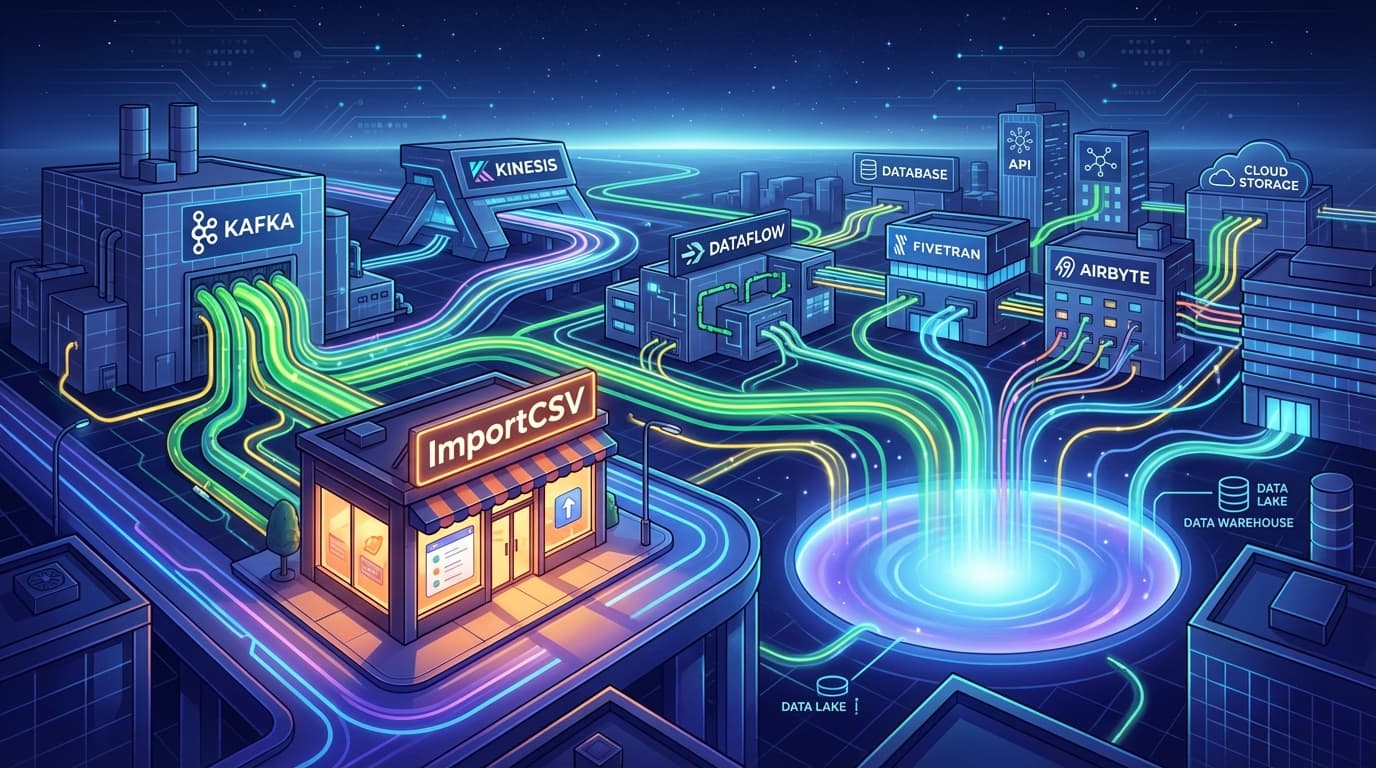
Choosing the wrong data ingestion tool costs months. Pick Kafka for a simple daily batch job and you're over-engineering. Pick Stitch for real-time fraud detection and you're dead in the water. The problem? Most comparison guides list tools alphabetically or by popularity, not by what they actually do well.
Here are 20+ data ingestion tools, organized by category with real pricing. Whether you need sub-millisecond streaming, managed ELT, or something for your customers to upload spreadsheets, there's a tool here for you.
Quick Comparison Table
| Tool | Category | Pricing (Starting) | Best For | Real-Time? |
|---|---|---|---|---|
| Apache Kafka | Streaming | Free (self-hosted) / $0.11/GB (Confluent) | High-volume event streaming | Yes |
| AWS Kinesis | Streaming | $0.08/GB ingested | AWS-native real-time | Yes |
| Azure Event Hubs | Streaming | $22/month per TU | Azure/Kafka migrations | Yes |
| Apache NiFi | Streaming/Batch | Free | Complex data flows, compliance | Yes |
| Google Dataflow | Streaming/Batch | $0.056/vCPU-hour | GCP unified pipelines | Yes |
| Fivetran | Managed ELT | $500/month (1M MAR) | No-code data integration | 1-min sync |
| Airbyte | Open-Source ELT | Free (self-hosted) | Flexible, self-hosted ELT | 5-min sync |
| Stitch | Managed ELT | $100/month (5M rows) | Simple batch ETL | Batch only |
| AWS Glue | Batch ETL | Pay-per-DPU-hour | AWS serverless ETL | No |
| Azure Data Factory | Batch ETL | Pay-as-you-go | Microsoft environments | No |
| Informatica | Enterprise ETL | Contact sales | Large enterprise governance | Varies |
| Talend | Enterprise ETL | Free / Commercial | Data quality focus | No |
| ImportCSV | User-Facing Import | See pricing page | Customer CSV uploads | N/A |
| Flatfile | User-Facing Import | Usage-based | Embeddable data import | N/A |
| TableFlow | User-Facing Import | Contact sales | AI document processing | N/A |
| Singer | Open-Source | Free | Custom pipeline building | No |
| Meltano | Open-Source ELT | Free | Code-first pipelines | No |
| Apache Beam | SDK | Free | Portable pipeline code | Yes |
| Matillion | Cloud ETL | Instance-hour based | Snowflake/Redshift users | No |
| IBM DataStage | Enterprise ETL | Contact sales | IBM ecosystem | Varies |
How to Use This Guide
Skip to your category:
- Real-Time Streaming - You need sub-second latency, event-driven architecture, or continuous data processing
- Managed ELT Platforms - You want zero-maintenance SaaS-to-warehouse pipelines
- Batch/Enterprise ETL - You run scheduled jobs, need governance, or work in a specific cloud
- User-Facing Import - Your customers need to upload CSV/Excel files into your app
- Open-Source Options - You want control, flexibility, or have engineering resources
Real-Time Streaming Tools
These tools handle continuous data flows with low latency. If you're building event-driven systems, real-time analytics, or need to process millions of events per second, start here.
Apache Kafka
Type: Distributed event streaming platform Pricing: Open source (free). Managed via Confluent Cloud starts at ~$0.11/GB.
Kafka is the industry standard for high-throughput streaming. Over 80% of Fortune 100 companies use it. That's not marketing fluff - when you need to process millions of events per second with latencies as low as 2ms, Kafka delivers.
Key Features:
- High throughput with configurable durability guarantees
- Distributed architecture with automatic partition rebalancing
- Kafka Connect ecosystem for 200+ source/sink connectors
- Exactly-once semantics (when configured correctly)
- Topic retention lets you replay historical data
Best For: Event-driven microservices, real-time analytics pipelines, log aggregation at scale, CDC (change data capture) from databases.
Limitations: The learning curve is real. Running Kafka yourself means managing ZooKeeper (or KRaft), handling partition rebalancing, tuning retention policies, and dealing with consumer group lag. For a simple daily batch job, this is massive overkill. Confluent Cloud removes operational burden but adds cost.
Honest Take: If you're moving less than 100GB/day or don't need sub-second latency, you probably don't need Kafka. But if you do need it, nothing else comes close for throughput and reliability.
AWS Kinesis Data Streams
Type: Managed streaming service Pricing: Pay-as-you-go
- On-demand Standard: $0.08/GB ingested + $0.04/GB retrieved + $0.04/stream-hour
- Provisioned: $0.015/shard-hour + $0.014/million PUT payload units
Kinesis is AWS's answer to Kafka. It's simpler to operate (no cluster management), integrates natively with Lambda, Firehose, and Analytics, and scales automatically in on-demand mode.
Key Features:
- Serverless operation with on-demand capacity mode
- 24-hour default retention (extendable to 365 days)
- Native integration with AWS analytics services
- Kinesis Data Firehose for automatic delivery to S3, Redshift, Elasticsearch
Best For: AWS-native shops doing real-time analytics, log aggregation, or IoT data processing.
Limitations: Vendor lock-in is real. If you ever migrate away from AWS, you're rewriting your streaming layer. Costs can also sneak up on you - $0.08/GB sounds cheap until you're ingesting terabytes daily. Cross-region replication adds complexity and cost.
Honest Take: If you're already all-in on AWS and need managed streaming, Kinesis makes sense. But don't pick it just because you use S3 for storage.
Azure Event Hubs
Type: Kafka-compatible event streaming Pricing: Tiered
- Basic: ~$0.028/million events
- Standard: ~$22/month per throughput unit (1 MB/s ingress, 2 MB/s egress)
- Premium/Dedicated: Custom pricing
Event Hubs is Microsoft's managed streaming platform. The killer feature? It's Kafka-compatible at the protocol level. You can point existing Kafka producers and consumers at Event Hubs without code changes.
Key Features:
- Kafka protocol compatibility (use existing Kafka clients)
- Event capture to Azure Blob Storage/Data Lake
- Schema registry for Avro serialization
- Auto-inflate for automatic scaling (Standard tier)
Best For: Microsoft shops, organizations migrating from on-prem Kafka to cloud, scenarios requiring Blob Storage integration.
Limitations: Like Kinesis, you're locked into Azure. The pricing model based on throughput units can be confusing - you're paying for reserved capacity, not just what you use.
Honest Take: If you're an Azure shop and want Kafka-like semantics without managing Kafka, Event Hubs is the obvious choice. The Kafka compatibility layer is genuinely useful for migrations.
Apache NiFi
Type: Data flow automation Pricing: Open source (free)
NiFi takes a different approach. Instead of writing code, you design data flows visually in a browser-based UI. Every piece of data is tracked with complete provenance - you can see exactly where every byte came from and where it went.
Key Features:
- Drag-and-drop flow design with 300+ processors
- Complete data provenance and lineage tracking
- Built-in security (TLS, role-based access, encryption)
- Backpressure handling and guaranteed delivery
- Clustered deployment for high availability
Best For: Compliance-heavy environments (healthcare, finance), complex routing logic, scenarios where auditability matters more than raw throughput.
Limitations: NiFi is operationally heavy. You're self-hosting, managing clusters, handling upgrades. The UI-based approach can become unwieldy for very complex flows. It's also not the fastest option for pure throughput - if you need millions of events per second, look at Kafka.
Honest Take: NiFi shines when you need to explain exactly how data moved through your system. For audit trails and compliance, it's excellent. For simple point-to-point streaming, it's overkill.
Google Cloud Dataflow
Type: Unified batch/stream processing Pricing: Per-second billing
- Batch vCPU: $0.056/hour
- Streaming vCPU: $0.069/hour
- FlexRS (discounted batch): ~40% cheaper
- Committed use discounts: 20-40%
Dataflow runs Apache Beam pipelines on Google's infrastructure. The big sell is "write once, run anywhere" - the same pipeline code works for both batch and streaming with different runners.
Key Features:
- Apache Beam SDK support (Python, Java, Go)
- Automatic scaling and resource management
- Streaming Engine for reduced costs on streaming jobs
- Templates for common pipeline patterns
- Native BigQuery, Pub/Sub, and GCS integration
Best For: Google Cloud environments, teams wanting unified batch/streaming semantics, ML feature pipelines.
Limitations: You're learning Apache Beam, which has its own abstractions (PCollections, transforms, windowing). If you're not on GCP, the portability promise is theoretical - running Beam on Flink or Spark is possible but requires different operational expertise.
Honest Take: If you're on GCP and want managed streaming, Dataflow is the path of least resistance. The per-second billing is nice - you're not paying for idle capacity. But the Beam learning curve is steeper than you'd expect.
Managed ELT Platforms
These tools focus on extracting data from SaaS applications and databases, then loading it into your data warehouse. The "ELT" model means transformations happen in the warehouse, not during ingestion.
Fivetran
Type: Fully managed ELT Pricing: Monthly Active Rows (MAR)
- Free: 500K MAR
- Standard: $500/month base for 1M MAR, decreasing rates at scale
- Enterprise: ~33% premium (1-minute syncs, more features)
- Business Critical: ~70% premium (HIPAA, SOC 2 Type II)
Fivetran is the market leader in managed ELT. You pick a source, enter credentials, pick a destination, and data flows. 700+ connectors, zero maintenance, automatic schema handling.
Key Features:
- 700+ pre-built, fully managed connectors
- Automatic schema drift detection and handling
- 15-minute sync frequency (Standard), 1-minute (Enterprise)
- Built-in dbt Core/Cloud integration for transformations
- Comprehensive logging and alerting
Best For: Teams without dedicated data engineering resources, organizations wanting to move fast on analytics, companies with many SaaS data sources.
Limitations: The MAR pricing model can surprise you. A connector that syncs a table with 10 million rows means 10 million MAR, even if only 1% changed. At scale, costs add up. You also can't customize connector behavior much - if Fivetran's connector doesn't do what you need, your options are limited.
Honest Take: Fivetran's pricing works out unless you're moving serious volume. For a mid-sized company with 20 SaaS tools feeding into Snowflake, it's faster and cheaper than building it yourself. For startups watching every dollar or enterprises with huge data volumes, do the math carefully.
Airbyte
Type: Open-source ELT platform Pricing:
- Self-hosted: Free
- Cloud Core: Free tier available
- Cloud Standard/Plus: Volume-based or capacity-based pricing
Airbyte is the open-source alternative to Fivetran. 600+ connectors, self-hosting option, and a community that's grown to over 3,000 companies.
Key Features:
- Open-source with self-hosting option
- 600+ connectors (community and official)
- Connector Development Kit for custom connectors
- Incremental syncing and change data capture
- dbt integration for transformations
Best For: Teams with engineering resources who want flexibility, companies that need self-hosted data integration for compliance, organizations building custom connectors.
Limitations: Connector quality varies. Community connectors can be buggy or unmaintained. Self-hosted Airbyte requires Kubernetes or Docker expertise and ongoing maintenance. Minimum sync frequency is 5 minutes - no real-time streaming.
Honest Take: Airbyte is great if you have engineers to manage it. The connector library is impressive, but you'll occasionally hit connectors that don't work as documented. Budget time for troubleshooting. If you want truly hands-off operation, Fivetran wins.
Stitch Data (Qlik)
Type: Cloud ETL Pricing: Row-based
- Standard: $100/month (5M rows)
- Advanced: $1,250/month (100M rows, 3 destinations)
- Premium: $2,500/month (1B rows, HIPAA, private networking)
Stitch was one of the first cloud ETL tools, now owned by Qlik. It's simpler than Fivetran with fewer connectors (140+) but more straightforward pricing.
Key Features:
- 140+ pre-built connectors
- Singer protocol support for custom extractors
- SOC 2 Type II compliance
- Replication keys for incremental loading
- No-code interface with minimal configuration
Best For: Teams with simple ETL needs, organizations that want predictable row-based pricing, Singer ecosystem users.
Limitations: Batch processing only - no near real-time option. Fewer connectors than Fivetran or Airbyte. Limited transformation capabilities (you're transforming in the warehouse). Qlik acquisition has slowed development.
Honest Take: Stitch is the "good enough" option. If you have a few dozen sources and don't need real-time, $100/month for 5M rows is hard to beat. But it's not evolving as fast as Fivetran or Airbyte.
Hevo Data
Type: No-code ELT platform Pricing: Subscription-based (contact sales)
Hevo targets mid-market companies who want Fivetran-like ease without the Fivetran price tag. 150+ connectors with real-time streaming support.
Key Features:
- No-code setup and management
- Real-time data streaming (not just batch)
- Automatic schema detection and mapping
- Pre-load transformations with drag-and-drop
- Fault-tolerant with automatic retry
Best For: Mid-sized companies wanting managed ELT with real-time capabilities at a lower price point than Fivetran.
Limitations: Smaller connector library than the big players. Less brand recognition means less community support when you hit issues.
Honest Take: Hevo is worth evaluating if Fivetran pricing scares you. Get a quote and compare - for some workloads it's significantly cheaper.
Batch/Enterprise ETL Tools
These tools handle scheduled data movement, complex transformations, and enterprise governance requirements. If you're running nightly jobs, managing data quality, or working in a regulated industry, this category is for you.
AWS Glue
Type: Serverless ETL Pricing: Pay-per-DPU-hour
- Standard DPU: ~$0.44/hour
- Data catalog: $1/100K objects stored/month
AWS Glue is Amazon's serverless ETL service. No servers to manage, automatic scaling, and deep integration with S3, Redshift, and RDS.
Key Features:
- Serverless Spark-based ETL jobs
- Crawlers for automatic schema discovery
- Data Catalog for metadata management
- Glue Studio for visual job authoring
- Glue DataBrew for no-code data prep
Best For: AWS-native data warehousing, organizations wanting serverless ETL without cluster management.
Limitations: You're writing PySpark or Scala - there's a learning curve. Glue jobs can be slow to start (cold start latency). Debugging Spark jobs through Glue's interface is painful. And of course, you're locked into AWS.
Honest Take: Glue works well for scheduled batch jobs in an AWS environment. But if you're coming from pandas and expecting something simple, you'll be frustrated. The Spark abstraction adds complexity even for simple transformations.
Azure Data Factory
Type: Cloud ETL/orchestration Pricing: Pay-as-you-go
- Pipeline orchestration: $1/1,000 runs
- Data movement: $0.25/DIU-hour
- Data flow: $0.274/vCore-hour
Azure Data Factory is Microsoft's cloud ETL service. 90+ connectors, visual pipeline design, and native integration with the Microsoft ecosystem.
Key Features:
- Visual pipeline designer with 90+ connectors
- Mapping data flows for code-free transformations
- Hybrid support with self-hosted integration runtime
- Triggers for schedule, event, or tumbling window execution
- Native Power BI and Synapse integration
Best For: Microsoft shops, hybrid cloud/on-prem scenarios, organizations using Power BI for analytics.
Limitations: The UI gets clunky for complex transformations. Debugging failed pipelines requires clicking through multiple screens. If you're not in the Microsoft ecosystem, there's no reason to choose ADF over alternatives.
Honest Take: ADF is the default choice if you're on Azure. It's not exciting, but it works. The self-hosted integration runtime is genuinely useful for connecting to on-prem databases without opening firewall ports.
Informatica
Type: Enterprise data platform Pricing: Contact sales (enterprise pricing)
- 30-day free trial available
- Pay-as-you-go options
Informatica is the enterprise incumbent. If you're at a Fortune 500 company with complex data governance needs, there's a good chance Informatica is already in your stack.
Key Features:
- Enterprise-grade ETL/ELT with CLAIRE AI engine
- Comprehensive data quality and governance tools
- Hybrid cloud and on-prem deployment
- Master data management capabilities
- Compliance tools for GDPR, CCPA, etc.
Best For: Large enterprises with complex governance requirements, organizations with significant on-prem data, companies in regulated industries.
Limitations: Expensive. Complex. Long implementation cycles. If you're a startup or mid-sized company, Informatica is almost certainly overkill.
Honest Take: Informatica is the choice when data governance and compliance outweigh agility. It's not nimble, but it handles complexity that simpler tools can't touch.
Talend
Type: Open-source/commercial ETL Pricing:
- Talend Open Studio: Free
- Commercial: Subscription-based
Talend offers both open-source and commercial ETL. The open-source version is genuinely capable - you can build production pipelines without paying a license fee.
Key Features:
- Drag-and-drop ETL design
- Built-in data quality profiling and cleansing
- 1,000+ connectors and components
- Active community and marketplace
- Code generation (Java) for portability
Best For: Organizations wanting open-source ETL with professional features, teams comfortable with self-managed infrastructure.
Limitations: The open-source version lacks orchestration, monitoring, and collaboration features. Commercial licensing can be expensive. The Java code generation approach means large codebases for complex jobs.
Honest Take: Talend Open Studio is impressive for free software. If you have engineers who can manage it, you can build serious pipelines without licensing costs. The commercial version competes with Informatica at lower price points.
Matillion
Type: Cloud-native ETL Pricing: Instance-hour based (compute consumption)
Matillion is built specifically for cloud data warehouses - Snowflake, Redshift, BigQuery, and Databricks. It pushes transformations into the warehouse, taking advantage of warehouse compute.
Key Features:
- Visual drag-and-drop transformation builder
- Pushdown processing (transformations run in your warehouse)
- Pre-built templates and components
- Git integration for version control
- Native optimization for each warehouse platform
Best For: Snowflake, Redshift, or BigQuery users who want visual ETL that leverages warehouse compute.
Limitations: Batch processing only. No real-time capabilities. If your warehouse isn't supported, Matillion isn't an option.
Honest Take: Matillion is excellent if you're doing heavy transformations and want a visual interface. The pushdown model means you're not paying for Matillion compute on top of warehouse compute for transforms.
IBM DataStage
Type: Enterprise ETL Pricing: Subscription-based (contact sales)
DataStage has been around since 1997. It's the enterprise workhorse for organizations deep in the IBM ecosystem, now part of IBM Cloud Pak for Data.
Key Features:
- Industry-leading ETL with decades of refinement
- Extensive connector library
- Complex transformation support
- Parallel processing engine
- IBM Watson integration for AI/ML
Best For: Large enterprises in the IBM ecosystem, organizations with existing DataStage investments, mainframe integration scenarios.
Limitations: High cost, steep learning curve, long implementation cycles. Unless you're already IBM, the ecosystem lock-in is hard to justify.
Honest Take: If you're modernizing an IBM shop, DataStage skills and investments carry forward. For greenfield projects, there's rarely a compelling reason to start here.
User-Facing Data Import Tools
Here's a category most data ingestion guides miss entirely. These tools aren't for data engineers - they're for your customers. When someone needs to upload a CSV or Excel file into your application, these tools handle the import experience.
ImportCSV
Type: Embeddable CSV/Excel importer Pricing: See pricing page
ImportCSV is a React component library for adding CSV and Excel import to your application. Your users get a polished upload experience with validation and column mapping. You get clean data in your backend.
Key Features:
- Embeddable React components
- Schema validation and error handling
- Column mapping UI for users
- Support for CSV and Excel files
- Designed for SaaS customer onboarding
Best For: SaaS platforms that need customer data import, applications handling user-uploaded spreadsheets, customer onboarding flows.
Limitations: This is specifically for user-uploaded files - not for API-to-API data movement or backend data engineering. If you need to sync Salesforce to your warehouse, look at Fivetran.
Honest Take: Every SaaS application eventually builds a CSV importer. ImportCSV gives you that feature without the months of edge cases (encoding issues, malformed data, huge files, Excel date formats...).
Flatfile
Type: Embeddable data import Pricing: Usage-based
Flatfile is a platform for building data import experiences. Beyond CSV/Excel, it handles more complex scenarios like multi-file uploads and data transformations.
Key Features:
- Embeddable data import UI
- AI-powered column mapping
- Data transformation hooks
- Workbook model for complex imports
- Audit logging and compliance features
Best For: Applications with complex import requirements, enterprises needing audit trails for imported data.
Limitations: More complex setup than simpler alternatives. Pricing can add up for high-volume imports.
TableFlow
Type: AI document processing Pricing: Contact sales
TableFlow uses AI to process documents and forms, extracting structured data automatically. It's evolved from CSV import into intelligent document processing.
Key Features:
- Zero-shot learning for new document types
- AI-powered data extraction
- ERP/CRM integration
- SOC 2 Type II certified
- Document type detection
Best For: Finance teams processing invoices, operations teams handling varied document formats, scenarios where documents aren't just spreadsheets.
Limitations: Specialized for document processing. If you're just importing clean CSVs, simpler tools work fine.
Open-Source Data Ingestion
These tools give you maximum flexibility and control. You'll need engineering resources to run them, but you're not locked into any vendor.
Singer
Type: Open-source ETL protocol Pricing: Free
Singer isn't a tool - it's a specification. "Taps" extract data, "targets" load it. They communicate via JSON over stdout. It's the Unix philosophy applied to ETL.
Key Features:
- JSON-based protocol for data extraction
- Language-agnostic (Python, JavaScript, etc.)
- 300+ community-maintained connectors
- Foundation for Stitch and Meltano
- Composable and scriptable
Best For: Engineers building custom pipelines, organizations with specific connector needs, teams wanting maximum flexibility.
Limitations: You're on your own for orchestration, monitoring, and error handling. Connector quality varies wildly - some are production-ready, others are abandoned experiments.
Honest Take: Singer is powerful if you're comfortable in code. You can build exactly what you need. But you're building and maintaining it yourself.
Meltano
Type: Open-source ELT platform Pricing: Free
Meltano wraps Singer with a modern CLI, configuration management, and orchestration. It's the "make Singer usable in production" project, backed by GitLab.
Key Features:
- CLI-first design with YAML configuration
- 600+ connectors via MeltanoHub
- Git-based version control for pipelines
- Built-in dbt integration
- Airflow orchestration support
Best For: Data engineers who prefer code over GUIs, teams wanting version-controlled pipelines, organizations building a custom data stack.
Limitations: Self-hosted only - no managed cloud option. You need engineering resources to run and maintain it.
Honest Take: Meltano is what Singer should have been from the start. If you want open-source ELT and have engineers to manage it, Meltano is the best choice in this category.
Apache Beam
Type: Unified batch/stream SDK Pricing: Free (execution costs depend on runner)
Beam is a programming model for data processing. Write your pipeline once, run it on Dataflow, Spark, Flink, or other runners. The promise is portability.
Key Features:
- Single SDK for batch and streaming
- Multiple language support (Python, Java, Go)
- Runner portability (Dataflow, Spark, Flink, Samza)
- Windowing and triggers for streaming
- Rich transformation library
Best For: Teams wanting portable pipeline code, organizations using multiple execution backends, complex streaming scenarios.
Limitations: The abstraction has overhead - both performance and cognitive. Beam's windowing model takes time to internalize. And in practice, most teams run on one backend, making portability theoretical.
Honest Take: Beam is worth learning if you're doing serious streaming work, especially on GCP. But it's an investment. For simple batch jobs, it's overkill.
Apache Flume
Type: Log aggregation Pricing: Free
Flume is purpose-built for log data. Agents collect logs, route them through channels, and deliver to sinks like HDFS, Elasticsearch, or Kafka.
Key Features:
- Agent-based log collection
- Reliable message delivery
- Fan-in and fan-out topologies
- Built for Hadoop ecosystem
- Interceptors for data transformation
Best For: Log aggregation into Hadoop, high-volume log pipelines, organizations with existing HDFS infrastructure.
Limitations: Specialized for logs - not a general ETL tool. The Hadoop ecosystem focus feels dated as more workloads move to cloud-native.
Honest Take: If you're sending logs to HDFS at scale, Flume works. For most other use cases, there are better options.
Specialized Tools Worth Knowing
Segment (Twilio)
Type: Customer data platform Pricing: Contact sales
Segment collects customer behavioral data (page views, clicks, events) and routes it to analytics tools, warehouses, and marketing platforms. 450+ integrations.
Best For: Product analytics, marketing data collection, customer journey tracking.
Not For: General data engineering. This is specifically for customer event data.
Snowplow
Type: Event data collection Pricing: Open-source + commercial
Snowplow is like Segment but open-source at its core. Tracker SDKs for web, mobile, and server; enrichment pipeline; delivery to your warehouse.
Best For: Organizations wanting Segment-like capabilities with more control, AI/ML teams needing rich behavioral data.
Alteryx
Type: Data analytics platform Pricing: Subscription-based
Alteryx blends data prep with analytics. It's popular with business analysts who need to wrangle data before visualization.
Best For: Business analysts, self-service data prep, organizations where analysts outnumber engineers.
Not For: Production data pipelines managed by engineering teams.
Keboola
Type: Data integration platform Pricing: Subscription-based
Keboola is an all-in-one platform covering extraction, transformation, and orchestration. 250+ integrations.
Best For: Teams wanting a single platform for the entire data stack, complex transformation workflows.
How to Choose the Right Tool
Start With Your Use Case
"I need to process events in real-time with sub-second latency" Start with Kafka (self-managed or Confluent) or your cloud provider's streaming service (Kinesis, Event Hubs, Pub/Sub).
"I want to sync data from SaaS apps to my warehouse without managing infrastructure" Fivetran if you have budget and want reliability. Airbyte if you want flexibility and have engineering resources. Stitch if your needs are simple.
"I'm building ETL jobs in a specific cloud" AWS Glue for AWS. Azure Data Factory for Azure. Dataflow for GCP. Don't fight your cloud provider's ecosystem unless you have a specific reason.
"My customers need to upload CSV files into my app" ImportCSV, Flatfile, or similar embeddable import tools. Don't build this yourself - the edge cases are painful.
"I want maximum control and have engineering resources" Meltano (for ELT) or Apache Beam (for streaming). You'll invest time upfront but get flexibility.
Questions to Ask
-
What's your latency requirement? Sub-second needs streaming tools. Daily batches open up more options.
-
What's your team's technical capacity? No engineers? Go managed (Fivetran, Stitch). Engineers available? Open-source options save money.
-
Where does your data live? If everything's in AWS, fighting AWS integration is painful. Same for Azure or GCP.
-
What's your data volume? Pricing models vary wildly. 1M rows/month and 1B rows/month lead to completely different decisions.
-
Who's using the tool? Data engineers write code. Analysts prefer GUIs. End customers need embedded import UIs.
Frequently Asked Questions
What's the difference between ETL and ELT?
ETL (Extract, Transform, Load): Data is transformed before loading into the destination. Traditional approach using tools like Informatica or Talend.
ELT (Extract, Load, Transform): Data is loaded raw, then transformed in the destination (usually a cloud warehouse). Modern approach using tools like Fivetran or Airbyte.
ELT has become dominant because cloud warehouses (Snowflake, BigQuery, Redshift) have cheap, scalable compute. It's often easier to load first, then use SQL for transformations.
What's batch vs. streaming ingestion?
Batch: Data is processed in scheduled chunks (hourly, daily). Most traditional ETL. Works when you don't need immediate freshness.
Streaming: Data is processed continuously as it arrives. Required for real-time analytics, fraud detection, live dashboards.
Most organizations use both. Batch for historical aggregations, streaming for real-time needs.
Can I use multiple tools?
Absolutely. A typical modern data stack might use:
- Kafka for real-time event streaming
- Fivetran for SaaS-to-warehouse sync
- dbt for warehouse transformations
- ImportCSV for customer file uploads
Tools should complement each other, not compete.
How do I handle schema changes?
This is genuinely hard. Options:
- Managed tools (Fivetran, Airbyte): Handle schema drift automatically
- Schema registries (Confluent, AWS Glue): Enforce schemas at the platform level
- Data contracts: Agree on schemas between producers and consumers
- Schema-on-read: Store raw data, handle schema at query time
Most organizations use a combination based on the data source.
What about data quality?
Ingestion tools move data; they don't guarantee quality. You need:
- Validation during ingestion: Schema checks, null handling, type coercion
- Testing after loading: dbt tests, Great Expectations, Soda
- Monitoring: Alerts for volume changes, freshness, anomalies
Tools like Monte Carlo, Bigeye, or Anomalo specialize in data observability.
The Bottom Line
Data ingestion tools aren't one-size-fits-all. The right choice depends on your latency requirements, technical capacity, cloud environment, and budget.
For most modern data teams:
- Streaming: Kafka (or your cloud's managed alternative) for real-time
- SaaS integration: Fivetran or Airbyte for warehouse loading
- Transformations: dbt in the warehouse
- User imports: ImportCSV or similar for customer-facing file uploads
Don't over-engineer. Start with the simplest tool that meets your requirements. You can always add complexity later - removing it is much harder.
Wrap-up
CSV imports shouldn't slow you down. ImportCSV aims to expand into your workflow — whether you're building data import flows, handling customer uploads, or processing large datasets.
If that sounds like the kind of tooling you want to use, try ImportCSV .