
Data Migration Plan Template: Step-by-Step Guide for 2026
Create a bulletproof data migration plan with our step-by-step template. Includes checklists for all 5 phases, the 7 R framework, and lessons from the 83% of projects that fail.

A data migration plan is a documented strategy for moving data from one system to another. Without one, you're joining the 83% of migration projects that fail or exceed their budget (Source: Gartner). This guide gives you a phase-by-phase template to avoid that outcome.
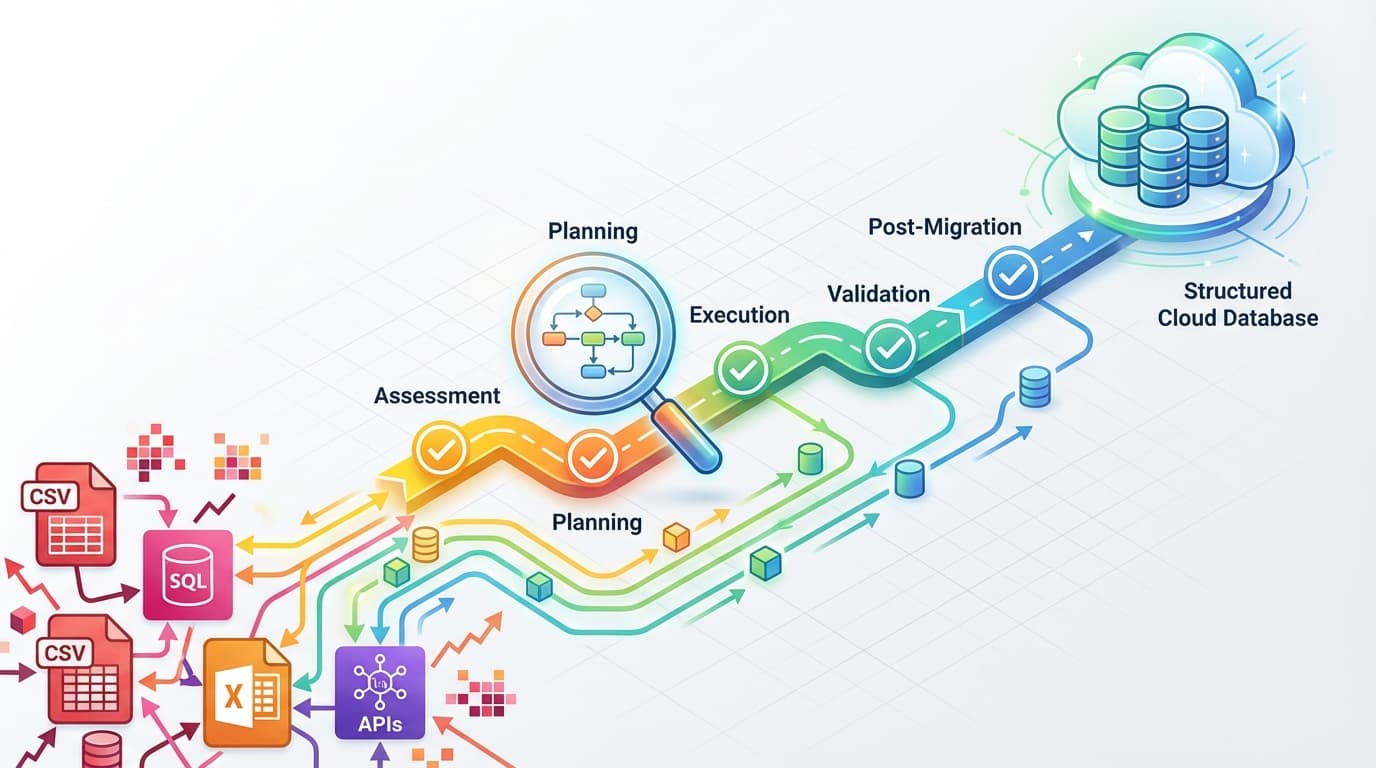
We'll walk through all five phases of a data migration strategy: assessment, planning, execution, validation, and post-migration. Each section includes actionable checklists you can copy directly into your project plan.
What Is Data Migration?
Data migration is the process of transferring data between storage systems, formats, or computer systems. It sounds straightforward until you realize your "simple" migration involves 47 interdependent tables, three legacy formats, and a deadline that was optimistic two months ago.
Organizations typically need migration for four scenarios:
- Storage Migration - Moving between storage systems (on-premises to cloud)
- Database Migration - Transferring between database platforms (Oracle to PostgreSQL)
- Application Migration - Moving applications along with their data
- Cloud Migration - Transitioning entire workloads to cloud environments
More than 94% of enterprises have adopted cloud services (Source: BigID 2023), which means most teams will face at least one major migration in the next few years. The cloud computing market is projected to exceed $1 trillion by 2030 (Source: MarketsAndMarkets), so migration skills aren't optional anymore.
Why Most Data Migrations Fail
Before diving into the template, you need to understand why migrations go wrong. The statistics are grim:
- 83% of data migration projects fail or exceed budget/timeline (Source: Gartner)
- Cost overruns average 30% (Source: Oracle whitepaper)
- Time overruns average 41% (Source: Oracle whitepaper)
- 65% of failed projects spent less than 20% of timeline on planning (Source: Industry analysis)
That last point is the kicker. Most teams rush through planning because they want to "start doing real work." But every hour spent on assessment saves three or four hours during execution. I've seen teams skip data profiling to save two weeks, then spend six weeks fixing data quality issues they could have caught upfront.
The top seven reasons migrations fail:
| Failure Point | Root Cause | How to Avoid It |
|---|---|---|
| Poor Planning | Insufficient assessment phase | Allocate 20-30% of timeline to planning |
| Data Quality Issues | Underestimated cleanup needs | Profile data before migration |
| Misaligned Business Goals | Technical focus without context | Define success metrics with stakeholders |
| Improper Scoping | Underestimated complexity | Map all dependencies, add buffer time |
| Poor Communication | Siloed teams, unclear ownership | Create communication plan with clear owners |
| Inadequate Testing | Rushed validation | Build test plan, run UAT |
| No Rollback Plan | No contingency for failures | Document and test rollback procedures |
Now let's build a plan that avoids these pitfalls.
Phase 1: Assessment (Pre-Migration)
The assessment phase determines whether your migration succeeds or joins the 83% that fail. This is where you discover the complexity you're actually dealing with, not the complexity you assumed.
Step 1: Identify All Data Sources
Start by cataloging everything. This sounds obvious, but teams routinely discover "forgotten" databases three weeks into execution.
Document for each source:
- System name and location
- Data types and formats
- Approximate volume (rows, size in GB)
- Business criticality (high/medium/low)
- Data owner and technical contact
Step 2: Profile Your Data
Data profiling reveals the actual condition of your data. You'll find inconsistencies you didn't know existed.
Check for:
- Data quality: Missing values, incorrect formats, outliers
- Structure: Column types, relationships between tables
- Duplicates: Records that shouldn't exist twice
- Dependencies: Which tables reference which
A manufacturing client once skipped profiling and discovered mid-migration that 40% of their customer addresses used non-standard formats. The cleanup took longer than the migration itself.
Step 3: Clean Before You Migrate
Migrating dirty data just moves the problem. Clean it now:
- Remove duplicate records
- Correct format inconsistencies (dates, phone numbers, addresses)
- Standardize naming conventions
- Fill or flag missing required values
Step 4: Create Your Data Mapping
The mapping document is your source of truth. For every field in the source, define:
- Target field name
- Transformation required (if any)
- Data type conversion
- Default value for nulls
- Validation rules
Keep this document updated throughout the project. It will save you during validation.
Step 5: Analyze Volume and Constraints
Know your limits:
- Total data volume per source
- Target system storage capacity
- Network bandwidth available
- Migration window (how long can systems be down?)
Assessment Phase Checklist
- All data sources cataloged with owners identified
- Data profiling complete for each source
- Data quality issues documented and cleanup plan created
- Field-by-field mapping document created
- Volume analysis complete
- Dependencies between systems mapped
- Bandwidth and storage constraints documented
Phase 2: Planning Your Data Migration Strategy
With assessment complete, you can make informed decisions about strategy. This is where the 7 R's framework and migration approach selection happen.
Choose Your Migration Strategy
Three main approaches, each with trade-offs:
| Strategy | Best For | Risk Level | Timeline |
|---|---|---|---|
| Big Bang | Small/moderate data volumes, simpler systems | High | Short (single cutover) |
| Phased/Trickle | Complex integrations, mission-critical data | Lower | Longer (incremental) |
| Hybrid | Multi-system environments, variable workloads | Medium | Flexible |
Big Bang: Everything migrates in one go. Fast if it works, catastrophic if it doesn't. Only choose this for smaller datasets where you can validate quickly and rollback easily.
Phased: Migrate in stages—by module, department, or data type. Takes longer but lets you learn from early phases and limits blast radius if something goes wrong.
Hybrid: Combines approaches based on the data. Critical transaction data might use phased migration while archival data uses big bang.
Most enterprise migrations should use phased or hybrid. Big bang is tempting because it's "simpler," but that simplicity evaporates when something breaks at 2 AM.
Apply the 7 R's Framework
The 7 R's help you decide what to do with each workload. This framework comes from AWS and IBM but applies universally:
- Rehost (lift and shift): Move as-is to new infrastructure. Fastest, least effort.
- Replatform (lift and reshape): Minor optimizations during migration.
- Repurchase: Replace with SaaS solution (move from on-prem CRM to Salesforce).
- Refactor/Re-architect: Significant changes to take advantage of new platform capabilities.
- Retire: Decommission applications no longer needed.
- Retain: Keep as-is, don't migrate yet.
- Relocate: Move to different infrastructure within same environment.
Classify each application using this framework. Many teams discover 15-20% of their data can be retired, reducing migration scope significantly.
Build Your Timeline
Based on the 65% failure statistic for projects that underspend on planning, allocate your timeline:
- Assessment: 20-30% of total project time
- Planning: 10-15%
- Execution: 30-40%
- Validation: 15-20%
- Post-Migration: 10%
Add 20-30% contingency buffer. Migrations almost never finish early.
Planning Phase Checklist
- Migration strategy selected (big bang/phased/hybrid)
- 7 R's classification complete for all applications
- Project objectives and success metrics defined
- Timeline with milestones established
- Roles and responsibilities assigned
- Migration tools selected
- Communication plan created
- Security requirements documented
- Rollback procedures drafted
- Budget approved with 20-30% contingency
Phase 3: Execution
Execution is where your planning pays off—or where you discover what you missed. The goal is controlled, monitored data movement with clear checkpoints.
Select Your Migration Method
Three options depending on scale and complexity:
Manual Uploads: For small volumes (under 100MB) or simple transfers. Export to CSV, validate, import to target. ImportCSV handles this well for spreadsheet-based data.
Automated ETL Tools: For larger volumes requiring transformation. Tools like AWS Database Migration Service, Azure Migrate, or open-source options like Apache NiFi handle extraction, transformation, and loading automatically.
Data Migration Services: For complex enterprise migrations with tight SLAs. Professional services bring expertise but add cost.
The ETL Process
Every migration follows the ETL pattern:
Extract: Pull data from source systems. Use native export tools, SQL queries, or API calls. Document extraction time and method for each source.
Transform: Apply your mapping rules. This includes:
- Data type conversions
- Format standardization
- Business rule applications
- Filtering and deduplication
Load: Insert into target system. Options include bulk inserts for speed or row-by-row for better error handling.
Monitoring During Migration
Set up real-time monitoring for:
- Row counts: Track progress against expected totals
- Error rates: Flag when errors exceed threshold
- Performance: Watch for bottlenecks
- System resources: CPU, memory, disk I/O on both systems
Maintain detailed logs. When something goes wrong (and something will), logs are how you diagnose it.
Execute Checkpoints
Define checkpoint intervals based on your data volume. At each checkpoint:
- Verify data integrity (checksums, row counts)
- Test a sample of records
- Confirm you can rollback to this point
- Document status and any issues
If a checkpoint fails validation, stop. Don't push forward hoping it'll work out.
Execution Phase Checklist
- Migration method selected and tools configured
- ETL processes tested on sample data
- Monitoring dashboards operational
- Logging configured and tested
- Checkpoint intervals defined
- Support team on standby
- Rollback tested and verified
- Communication sent to stakeholders
Phase 4: Validation
Validation proves the migration worked. Skip this and you'll discover problems in production, which is more expensive and stressful than catching them now.
Testing Types
Run these in order:
| Test Type | What It Validates | When |
|---|---|---|
| Unit Tests | Individual migration components | Throughout execution |
| Integration Tests | Complete end-to-end process | Pre-production |
| Volume Tests | Representative data samples | Pre-production |
| User Acceptance Testing (UAT) | Business functionality | Post-migration |
Data Reconciliation
Compare source and target:
Record counts: Every table should have matching row counts (accounting for expected differences from cleanup or filtering).
Checksums: Calculate checksums on critical tables. Mismatch means data integrity issues.
Sample validation: Pull random samples and verify field-by-field accuracy. Check edge cases—oldest records, records with special characters, records with nulls.
Referential integrity: Confirm foreign key relationships still work in the target.
Application Testing
Data accuracy doesn't matter if applications can't use it:
- Run standard business processes end-to-end
- Verify reports generate correct results
- Test integrations with downstream systems
- Confirm performance meets requirements
Get Stakeholder Sign-off
Before cutover, get explicit approval from:
- Data owners
- Application owners
- Business process owners
- Security/compliance team
Document their approval. This protects the project if issues surface later.
Validation Phase Checklist
- Record counts match (source vs. target)
- Data checksums verified
- Random samples validated
- Referential integrity confirmed
- Application integration tested
- Performance benchmarks met
- Business processes validated
- Stakeholder sign-off obtained
Phase 5: Post-Migration
Migration isn't done when data lands in the target system. Post-migration activities ensure stability and capture lessons for next time.
Cutover Strategies
Three approaches for transitioning users:
Parallel Running: Run both systems simultaneously. Users can verify results match. Safest but most expensive (double infrastructure costs).
Phased Cutover: Transition user groups or functions gradually. Department A moves Monday, Department B moves Wednesday. Limits blast radius.
Immediate Cutover: Full switch after validation. Fastest but requires high confidence in validation results.
Most teams use phased cutover. It's the best balance of speed and safety.
Stabilization Period
Plan for 2-4 weeks of heightened support:
- Monitor system performance daily
- Track error rates and user-reported issues
- Keep old system available (read-only) for reference
- Maintain rollback capability until stabilization complete
Decommission Old Systems
Don't rush this. Wait until:
- Stabilization period complete with no critical issues
- Users confirm they don't need old system access
- Compliance/retention requirements allow decommissioning
- Backups are archived per retention policy
Document Lessons Learned
Conduct a post-mortem within two weeks of cutover:
- What worked well?
- What would you do differently?
- Were estimates accurate? Why or why not?
- What should future projects know?
This knowledge is valuable. Most teams forget to capture it, then make the same mistakes on the next migration.
Post-Migration Checklist
- Cutover strategy executed
- Users transitioned and trained
- Performance monitored for 2-4 weeks
- User feedback addressed
- Documentation updated
- Old system decommissioned (after stabilization)
- Lessons learned documented
- Project formally closed
Using Enterprise Migration Frameworks
If you're migrating to cloud platforms, use their frameworks:
AWS Cloud Adoption Framework (CAF): Covers six perspectives—Business, People, Governance, Platform, Security, Operations. Useful for structuring large migrations.
AWS Migration Readiness Assessment (MRA): A structured approach to the assessment phase. Helps identify gaps before they become problems.
Azure Database Migration Service: Automated tooling for database-to-database migrations. Handles schema conversion and data movement.
Google Cloud Storage Transfer Service: For cross-platform data transfers, particularly useful for storage migrations.
These frameworks add structure but don't replace your own planning. Use them as supplements, not substitutes.
Your Data Migration Plan Template
Here's a condensed template you can adapt:
PROJECT: [Name]
DATE: [Start Date]
OWNER: [Project Lead]

PHASE 1: ASSESSMENT
[ ] Data sources identified
[ ] Data profiling complete
[ ] Data cleanup executed
[ ] Mapping document created
[ ] Volume analysis complete

PHASE 2: PLANNING
[ ] Strategy selected
[ ] 7 R's classification done
[ ] Timeline approved
[ ] Roles assigned
[ ] Rollback plan documented

PHASE 3: EXECUTION
[ ] ETL processes configured
[ ] Monitoring active
[ ] Checkpoints defined
[ ] Migration complete

PHASE 4: VALIDATION
[ ] Record counts verified
[ ] Data integrity confirmed
[ ] Applications tested
[ ] Stakeholder sign-off obtained

PHASE 5: POST-MIGRATION
[ ] Cutover complete
[ ] Stabilization period complete
[ ] Old systems decommissioned
[ ] Lessons learned documented
For a more detailed version, the CIO.gov Migration Checklist (available as an Excel download) provides government-grade thoroughness.
What Separates Successful Migrations
After reviewing the 83% failure rate data, the pattern is clear: successful migrations invest heavily in phases 1 and 2. They spend 30-40% of their timeline on assessment and planning, not 15%.
They also test their rollback procedures before they need them. The teams that assume rollback will "just work" are the ones calling you at 3 AM.
Finally, successful teams communicate constantly. They don't surprise stakeholders with delays. They flag risks early and adjust timelines proactively.
A data migration plan isn't bureaucratic overhead. It's the difference between a controlled process and a crisis. Build yours before you start moving data, not after you've discovered why you should have.
Working with CSV data as part of your migration? ImportCSV handles validation, transformation, and import for spreadsheet-based data sources. It's particularly useful during the assessment phase when you're profiling data exported to CSV format.
Wrap-up
CSV imports shouldn't slow you down. ImportCSV aims to expand into your workflow — whether you're building data import flows, handling customer uploads, or processing large datasets.
If that sounds like the kind of tooling you want to use, try ImportCSV .