
Best Data Migration Tools 2026: 15+ Options Compared
Compare 15+ data migration tools with real pricing. From AWS DMS to open-source Airbyte, find the right tool for your database, cloud, or application migration.

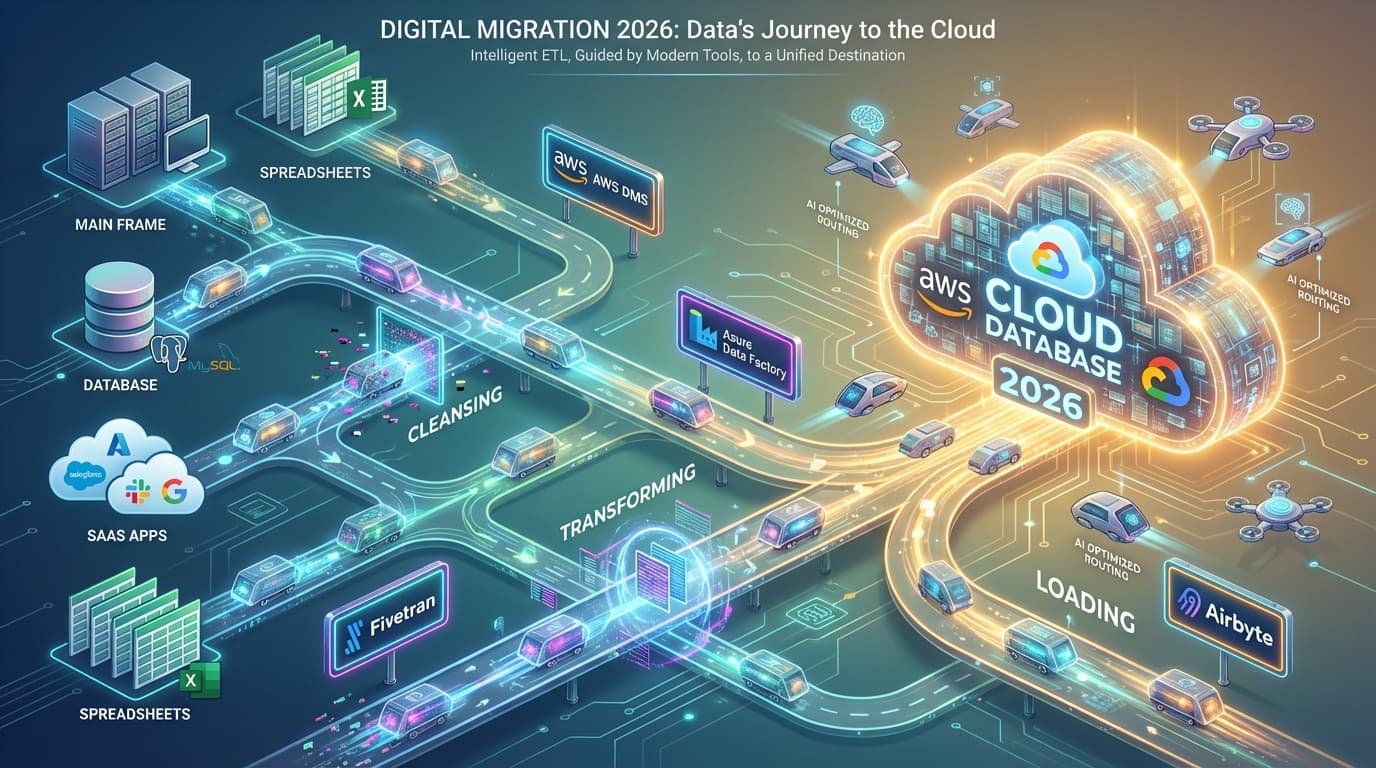
Almost half of enterprise AI projects fail due to poor data quality. And 29% of data leaders say data silos are blocking their AI initiatives. The root cause? Bad migrations that create fragmented, unreliable data.
The right data migration tool doesn't just move your data—it determines whether your downstream analytics, AI models, and business intelligence actually work. Pick the wrong one and you're looking at months of cleanup. Pick the right one and you've laid the foundation for everything that follows.
Here are 15+ data migration tools compared, with actual pricing (as of January 2026) and honest assessments of what each does well—and where they fall short.
Quick Comparison: Data Migration Tools at a Glance
Before diving deep, here's the landscape. Use this table to quickly narrow down your options, then read the detailed sections below.
| Tool | Best For | Starting Price | Connectors | Open Source |
|---|---|---|---|---|
| AWS DMS | AWS migrations | Free tier available, then ~$0.018/hr | 70+ | No |
| Google Cloud DMS | GCP migrations | Free (homogeneous) | Native DB support | No |
| Azure Data Factory | Microsoft ecosystem | $1/1,000 runs | 90+ | No |
| Fivetran | Analytics-ready data | Free tier, then $500/M MAR | 700+ | No |
| Airbyte | Open-source flexibility | Free (self-hosted) | 600+ | Yes |
| Hevo Data | No-code pipelines | Free tier, then $399/mo | 150+ | No |
| Stitch Data | Simple replication | $100/mo (5M rows) | 130+ | No |
| Talend | Enterprise governance | Contact sales | 100s | Partial |
| Integrate.io | Fixed-fee model | $1,999/mo (unlimited) | Full catalog | No |
| SnapLogic | iPaaS + AI agents | Contact sales | 500+ | No |
| Informatica | Large-scale enterprise | Contact sales | 1000+ | No |
| Apache NiFi | Self-hosted control | Free | 300+ | Yes |
| Oracle GoldenGate | Oracle ecosystems | Contact sales | Oracle-focused | No |
| Singer.io | Lightweight EL | Free | 250+ | Yes |
| Matillion | Cloud warehouses | Contact sales | 150+ | No |
What Actually Makes a Good Data Migration Tool?
Before we get into individual tools, here's what matters when evaluating data migration software:
Connector coverage. Does it connect to your specific sources and destinations? A tool with 700 connectors is useless if it doesn't support your legacy Oracle database or that niche SaaS app you need.
CDC (Change Data Capture). For ongoing replication, CDC matters. It captures only what changed since the last sync, reducing load and enabling near-real-time updates. Not all tools do this well.
Schema handling. When source schemas change (they will), does the tool automatically adapt or does everything break? Automatic schema drift handling saves countless hours.
Transformation capabilities. Do you need to clean, enrich, or reshape data during migration? Some tools are pure EL (extract-load), others offer full ETL capabilities.
Pricing model. Row-based, event-based, connector-based, or flat-fee? The pricing model that looks cheap at small scale might be expensive at production volumes.
Compliance. SOC 2, HIPAA, GDPR—if you're in a regulated industry, this isn't optional.
Now, let's break down each tool by category.
Cloud Provider Tools
If you're migrating to a specific cloud, the native tools are usually the cheapest and best-integrated option. The tradeoff? They're designed to get data into that cloud, not out.
1. AWS Database Migration Service (AWS DMS)
AWS DMS is the go-to choice for migrating databases to AWS. It handles both homogeneous migrations (Oracle to Oracle) and heterogeneous migrations (Oracle to PostgreSQL) with built-in schema conversion.
Pricing (as of January 2026):
- Free tier: 750 hours/month of dms.t3.micro + 50GB storage (first year)
- On-demand: Starting ~$0.018/hour for t3.micro instances
- Serverless: Per DCU-hour (auto-scales based on load)
- Zero-ETL: CDC data transfer at $2.00/GB, backfill at $0.01/GB
Key Features:
- Continuous data replication via CDC during cutover
- Free Schema Conversion Tool (DMS SC) for heterogeneous migrations
- Fleet Advisor for migration planning (free)
- Serverless option eliminates capacity planning
- Integrates with 70+ AWS services natively
Best For:
- Any database migration to AWS (RDS, Aurora, Redshift, DynamoDB)
- Minimal-downtime migrations with ongoing replication
- Organizations already invested in AWS
Limitations:
- Designed for AWS destinations—moving data out is an afterthought
- Complex pricing can be hard to estimate upfront
- Heterogeneous migrations require more manual intervention
Honest take: If you're going to AWS, DMS should be your first stop. The free tier is generous enough to test real migrations, and the serverless option handles scaling without you babysitting instance sizes. But don't expect it to excel at anything that doesn't end in an AWS database.
2. Google Cloud Database Migration Service
Google's answer to AWS DMS, with one killer feature: homogeneous migrations to Cloud SQL and AlloyDB are completely free. No catches.
Pricing (as of January 2026):
- Homogeneous migrations (MySQL/PostgreSQL to Cloud SQL/AlloyDB): Free
- Heterogeneous migrations:
- Backfill: First 500 GiB/month free, then $0.40/GiB
- CDC: $2.00/GiB (0-2,500 GiB), scaling down to $0.80/GiB at 10,000+ GiB
Key Features:
- Native MySQL and PostgreSQL migrations at zero cost
- Minimal downtime with continuous replication
- Schema conversion assistance for heterogeneous migrations
- Direct integration with Cloud SQL and AlloyDB
Best For:
- MySQL or PostgreSQL migrations to Google Cloud
- Organizations wanting the lowest-cost migration path
- Homogeneous database migrations at any scale
Limitations:
- Database scope is narrower than AWS DMS
- Heterogeneous migrations still require significant effort
- Less mature ecosystem compared to AWS
Honest take: If you're moving MySQL or PostgreSQL to Google Cloud, this is a no-brainer. Free is hard to beat. For everything else, it's more limited than AWS DMS, but Google is clearly investing here.
3. Azure Data Factory
Azure Data Factory is less of a pure migration tool and more of a full data integration platform. It handles ETL, ELT, and orchestration across hybrid environments.
Pricing (as of January 2026, US Central):
- Orchestration: $1 per 1,000 activity runs
- Data movement: $0.25/DIU-hour (Azure Integration Runtime)
- Pipeline activity: $0.005/hour (Azure IR), $0.002/hour (self-hosted)
- Data flow execution: $0.274 per vCore-hour (General Purpose)
- Operations: $0.50 per 50,000 read/write entities
Key Features:
- 90+ built-in connectors
- Visual data flow designer (no-code transformations)
- Hybrid integration with on-premises via self-hosted runtime
- Workflow orchestration manager for complex pipelines
- Tight integration with Azure Synapse, Power BI, and Fabric
Best For:
- Microsoft-centric organizations
- Hybrid cloud migrations (on-prem + cloud)
- Complex ETL workflows beyond simple data movement
- Teams already using Azure Synapse or Fabric
Limitations:
- Pricing model is confusing with multiple meters
- Steeper learning curve than simpler replication tools
- Can get expensive at high volumes without careful optimization
Honest take: Azure Data Factory does more than just migration—it's a full integration platform. That's great if you need those capabilities, but overkill if you just want to move data from A to B. The pricing model is notoriously hard to predict. Budget 20-30% buffer for surprises.
Enterprise ETL Platforms
These are the heavy-hitters for organizations with complex data governance requirements, legacy systems, or massive scale. They're expensive, but they're built for scenarios where "good enough" isn't.
4. Informatica (Cloud Data Integration)
Informatica has been in the data integration game since 1993. Their Cloud Data Integration platform is the modern evolution, with AI capabilities through their CLAIRE engine.
Pricing (as of January 2026):
- Contact sales required
- Consumption-based pricing model
- Free trial available
Key Features:
- CLAIRE AI for intelligent automation and recommendations
- 1000+ pre-built connectors
- Data catalog and governance built-in
- Master data management capabilities
- Data quality and observability tools
- API and app integration
Best For:
- Large enterprise workloads (Fortune 500)
- Heavily regulated industries (healthcare, finance, government)
- Organizations needing comprehensive data governance
- Complex transformations and data quality requirements
Limitations:
- Premium pricing—budget accordingly
- Complex deployment and configuration
- Overkill for simple migration projects
- Sales process can be lengthy
Honest take: Informatica is the "nobody got fired for buying IBM" of data integration. It does everything, integrates with everything, and has enterprise support. But if you're a mid-market company or startup, the cost and complexity likely don't make sense. This is for organizations where data governance is a board-level concern.
5. Talend (now Qlik Talend Cloud)
Talend was acquired by Qlik, and the platform has evolved into Qlik Talend Cloud. It bridges the gap between open-source flexibility (Talend Open Studio is still free) and enterprise features.
Pricing (as of January 2026):
- Talend Open Studio: Free (open-source, limited features)
- Starter/Standard/Premium/Enterprise: Contact sales (data volume-based)
Key Features:
- Real-time log-based CDC (Standard and above)
- AI transformation assistant
- Data quality and profiling built-in
- Business glossary and lineage tracking
- SAP and Mainframe connectivity (Enterprise tier)
- Qlik Talend Trust Score for AI data readiness
Best For:
- Enterprise-scale integrations with governance needs
- Organizations migrating from SAP or mainframes
- Teams that want open-source option with commercial upgrade path
- Companies prioritizing data quality for AI/ML
Limitations:
- Qlik integration is still maturing post-acquisition
- Open Studio vs. Cloud feature gap is significant
- Pricing is opaque without sales engagement
Honest take: Talend's open-source roots give it credibility that pure commercial vendors lack. If you're considering commercial options but want to start with free, Talend Open Studio lets you evaluate without commitment. Just know that the jump to cloud tiers comes with enterprise pricing.
6. Oracle GoldenGate
For Oracle-to-Oracle migrations or any scenario requiring sub-second latency replication, GoldenGate is the gold standard. Literally.
Pricing (as of January 2026):
- Contact sales required
- License-based pricing (typically premium)
Key Features:
- Real-time data capture and delivery
- Sub-second latency replication
- Heterogeneous platform support (not just Oracle)
- Zero downtime migrations
- Data filtering and transformation during replication
- Conflict detection and resolution for bidirectional sync
Best For:
- Oracle database migrations
- Mission-critical systems requiring zero downtime
- Active-active database replication
- Large enterprise environments with Oracle investments
Limitations:
- Premium pricing (it's Oracle, after all)
- Complexity requires specialized expertise
- Overkill for non-Oracle environments
Honest take: If you have critical Oracle systems and "zero downtime" is a hard requirement, GoldenGate delivers. It's expensive and complex, but it's also battle-tested in environments where failure isn't an option. For everything else, there are cheaper alternatives.
Modern ELT/Data Pipeline Platforms
These tools emerged to serve the modern data stack: extract data from sources, load it into cloud warehouses, and let the warehouse handle transformations. They're optimized for analytics use cases.
7. Fivetran
Fivetran pioneered the fully-managed ELT category. Their value proposition is simple: they handle the pipes, you focus on analysis.
Pricing (as of January 2026):
- Free Plan: 500K MAR/month, 5K monthly model runs
- Standard: Tiered pricing starting at $500/million MAR
- 0-1M MAR: $500/million
- 1-4M MAR: $170/million
- 4-16M MAR: $58/million
- 64M+ MAR: As low as $6.72/million
- Enterprise: 33% premium over Standard (faster syncs, more connectors)
- Business Critical: 100% premium (HIPAA, advanced security)
- Annual contracts: Up to 22% savings
Key Features:
- 700+ pre-built connectors (largest in the market)
- Automated schema mapping and drift handling
- 15-minute syncs (Standard), 1-minute syncs (Enterprise)
- dbt Core integration for transformations
- HIPAA, GDPR, SOC 2 compliance
Best For:
- Teams wanting analytics-ready data with zero maintenance
- Organizations with diverse SaaS data sources
- Companies that value reliability over cost optimization
Limitations:
- Expensive at scale (MAR pricing adds up)
- Limited transformation capabilities (ELT, not ETL)
- Enterprise connectors require higher tiers
Honest take: Fivetran is the industry standard for a reason. Their connectors work reliably, schema changes are handled automatically, and support is excellent. The tradeoff is cost—at high volumes, you'll pay a premium for that reliability. Worth it for mission-critical analytics pipelines where you can't afford to babysit integrations.
8. Airbyte
Airbyte is the open-source alternative to Fivetran. Self-host for free, or use their cloud offering for convenience.
Pricing (as of January 2026):
- Core (Self-hosted): Free, open-source
- Cloud Standard: Volume-based pricing
- Plus/Pro: Capacity-based (Data Workers), annual billing
- Enterprise Flex: Custom pricing (new tier)
- Enterprise: Custom pricing
Key Features:
- 600+ connectors (community-contributed)
- Full open-source—deploy anywhere
- AI-assist Connector Builder for custom connectors
- Change Data Capture (CDC) support
- Automatic schema propagation
- Multiple data regions for compliance
Best For:
- Teams wanting open-source flexibility and data sovereignty
- Organizations with engineering capacity to self-host
- AI/ML data preparation workflows
- Companies wanting to avoid vendor lock-in
Limitations:
- Self-hosted requires DevOps capacity
- Some community connectors are less polished than Fivetran
- Cloud pricing can approach Fivetran at scale
Honest take: Airbyte is the real deal for open-source data integration. If you have engineers who can manage infrastructure, self-hosting saves significant money. The connector quality has improved dramatically—many are now on par with commercial alternatives. The AI Connector Builder is particularly useful for niche sources without pre-built connectors.
9. Stitch Data (by Talend)
Stitch is Talend's entry-level offering—simple, straightforward data replication with transparent pricing.
Pricing (as of January 2026):
- Standard:
- 5M rows: $100/month
- 10M rows: $125/month
- 25M rows: $250/month
- 50M rows: $400/month
- 100M rows: $750/month
- 200M rows: $1,100/month
- 300M rows: $1,250/month
- Advanced: $1,250/month (100M rows, annual)
- Premium: $2,500/month (1B rows, annual, HIPAA available)
- 14-day free trial
Key Features:
- 130+ integrations
- 7-day historical sync
- Connect API access (Advanced+)
- SOC 2 Type II and ISO 27001 compliance
- Post-load webhooks
- VPN tunnels and AWS PrivateLink (Premium)
Best For:
- Mid-market companies wanting predictable pricing
- Simple data replication without complex transformations
- Teams that don't need 700 connectors
Limitations:
- Fewer connectors than Fivetran or Airbyte
- Less frequent sync options
- Limited transformation capabilities
Honest take: Stitch's pricing model is refreshingly simple—you know exactly what you'll pay. It's not as feature-rich as Fivetran, but that's fine if you have straightforward replication needs. Good middle-ground between open-source complexity and Fivetran costs.
10. Hevo Data
Hevo targets teams that want data pipelines without writing code. Their no-code interface makes it accessible to analysts, not just engineers.
Pricing (as of January 2026):
- Free: $0/month (1M events, limited connectors)
- Starter: $399-$499/month (5M-50M events)
- Professional: $1,199-$1,499/month (20M-100M events)
- Business Critical: Custom pricing
- Annual billing: 20% discount
- 14-day free trial, no credit card required
Key Features:
- 150+ connectors
- Real-time streaming pipelines (Professional+)
- No-code transformations
- dbt integration
- Automatic schema management
- 24x7 support
- SOC 2 Type II, GDPR, HIPAA compliance
Case Studies:
- ThoughtSpot achieved 85% reduction in platform costs
- Postman saves 40 hours monthly on data pipeline management
Best For:
- Teams without dedicated data engineers
- No-code, real-time data pipeline requirements
- Organizations wanting quick setup and transparent pricing
Limitations:
- Fewer connectors than larger competitors
- Some advanced features require higher tiers
- Less recognized brand in US market
Honest take: Hevo is underrated. Their no-code interface genuinely works for non-technical users, and their customer success stories (ThoughtSpot, Postman) demonstrate enterprise credibility. If you're a growing company without a data engineering team, Hevo lets analysts build pipelines that actually work.
11. Integrate.io
Integrate.io's pitch is simple: flat-fee pricing. No rows, no events, no surprises.
Pricing (as of January 2026):
- Core Plan: $1,999/month (flat fee)
- Unlimited data volumes
- Unlimited data pipelines
- Unlimited connectors
- 60-second pipeline frequency
- 30-day onboarding included
- GPU add-on for AI/ML workloads
- HIPAA add-on for healthcare
Key Features:
- ETL, ELT, and Reverse ETL capabilities
- Unlimited usage model (predictable costs)
- Full platform access at one tier
- Contract buyout available from competitors
Customer Claims:
- Average savings of 34-71% when switching from row-based competitors
Best For:
- Organizations tired of unpredictable usage-based pricing
- High-volume data workloads
- Teams wanting all features without tier restrictions
Limitations:
- $1,999/month is expensive for small teams
- Less brand recognition than Fivetran or Airbyte
- Fewer connectors than market leaders
Honest take: If you're currently paying more than $2K/month on a usage-based platform and hate the surprises, Integrate.io's fixed pricing is compelling. The unlimited model removes the anxiety of "how much will this month cost?" Just make sure you'll actually use enough volume to justify the flat fee.
12. SnapLogic
SnapLogic positions itself as an intelligent integration platform (iPaaS) with AI capabilities—not just data movement, but full workflow automation.
Pricing (as of January 2026):
- Contact sales required
- Pricing based on endpoints connected
- Unlimited data movement included
- Available on AWS, Azure, Google Cloud marketplaces
Key Features:
- 500+ pre-built Snaps (connectors)
- AI-powered SnapGPT integration copilot
- AgentCreator for building enterprise AI agents
- Visual pipeline designer
- AutoSync for simple ELT
- SLIM tool for legacy migration
- API management included
ROI Data (from Forrester TEI study):
- 181% ROI with payback under 6 months
- $3.3M in quantifiable benefits over three years
- Televerde reduced integration build time by 50%
Best For:
- Large enterprises needing iPaaS (integration platform as a service)
- Organizations building AI agents and automation
- Complex workflow automation beyond data movement
Limitations:
- Enterprise pricing (not for small teams)
- Sales process required for pricing
- More complex than pure ELT tools
Honest take: SnapLogic is for organizations that need more than data pipelines—they need full application and workflow integration. The AgentCreator for AI agents is genuinely interesting if you're building AI-powered automation. But if you just need to move data from Salesforce to Snowflake, it's probably overkill.
Open-Source Options
For teams with engineering capacity, open-source tools offer maximum flexibility and zero licensing costs. The tradeoff is operational overhead.
13. Apache NiFi
NiFi is the heavyweight champion of open-source data flow orchestration. Originally developed by the NSA, it handles complex data routing, transformation, and mediation.
Pricing: Free and open-source
Key Features:
- Flow-based visual programming interface
- Data provenance tracking (see exactly where data came from)
- Built-in security (SSL, HTTPS, encryption)
- Highly scalable clustering
- 300+ processors for data handling
- Real-time streaming support
- Back-pressure and flow control
Best For:
- Teams with strong technical expertise
- Complex data flow orchestration requirements
- Organizations wanting full control over infrastructure
- IoT and streaming data scenarios
Limitations:
- Significant operational overhead
- Steep learning curve
- Requires dedicated infrastructure
- No vendor support (community only)
Honest take: NiFi is incredibly powerful but not simple. If you have data engineers who can manage the complexity, it handles scenarios that commercial tools struggle with—complex routing, conditional processing, real-time streaming. But if you just need to replicate databases, use something simpler.
14. Singer.io (and Meltano)
Singer defines an open standard for data extraction (taps) and loading (targets). Meltano (by GitLab) wraps Singer with a modern CLI and orchestration layer.
Pricing: Free and open-source
Key Features:
- 250+ community-maintained taps and targets
- Simple spec—easy to write custom connectors
- Meltano adds orchestration, environments, and config management
- Can integrate with dbt for transformations
- Active community development
Best For:
- Lightweight EL (extract-load) requirements
- Teams comfortable with CLI-based tools
- Custom connector development
- Organizations wanting maximum flexibility
Limitations:
- Tap quality varies significantly
- Maintenance of connectors falls on you
- Less suitable for complex transformations
- Requires engineering investment
Honest take: Singer is brilliant conceptually—a standard spec for data connectors that anyone can implement. In practice, connector quality is inconsistent. Some taps are excellent; others are abandoned. Meltano improves the experience significantly. Use this if you have engineers who can maintain connectors and want to avoid vendor fees.
15. Matillion
Matillion focuses specifically on cloud data warehouse transformations. It's less about extraction and more about what happens after data lands in Snowflake, BigQuery, or Redshift.
Pricing (as of January 2026):
- Contact sales required
- Credit-based pricing model
- Free trial available
Key Features:
- Native to Snowflake, BigQuery, Redshift, and Databricks
- Visual ETL/ELT designer
- 150+ pre-built connectors
- Pushdown transformation (uses warehouse compute)
- Git integration for version control
- Orchestration capabilities
Best For:
- Teams already invested in cloud data warehouses
- Organizations wanting visual transformation design
- Companies prioritizing warehouse-native processing
Limitations:
- Pricing requires sales engagement
- Less suitable for pure extraction/replication
- Focused on specific warehouse platforms
Honest take: Matillion is great if your primary challenge is transforming data inside your warehouse. It's not trying to compete with Fivetran on extraction—it assumes your data is already in Snowflake or BigQuery. If that's your situation, the visual designer and pushdown transformations are genuinely useful.
How to Choose the Right Data Migration Tool
With 15+ options, how do you actually decide? Here's a decision framework:
Start with Your Destination
Going to AWS? Start with AWS DMS. It's native, cost-effective, and handles most database migrations well.
Going to Google Cloud? Google Cloud DMS for MySQL/PostgreSQL (it's free). Data Transfer Service for storage migrations.
Going to Azure? Azure Data Factory, especially if you're using other Microsoft tools.
Going to a Cloud Warehouse (Snowflake/BigQuery/Redshift)? Fivetran, Airbyte, Stitch, or Hevo—depending on budget and complexity.
Consider Your Team's Capabilities
No data engineers? Hevo or Fivetran—they handle the pipes, you focus on analysis.
Strong engineering team? Airbyte (self-hosted) or Singer/Meltano—maximize flexibility, minimize costs.
Enterprise IT organization? Informatica, Talend, or SnapLogic—they're built for governance and scale.
Budget Reality Check
| Monthly Volume | Recommended Approach |
|---|---|
| < 5M rows | Stitch ($100/mo) or Airbyte Free |
| 5-50M rows | Hevo ($399-499/mo) or Stitch |
| 50-100M rows | Fivetran, Hevo Professional, or self-hosted Airbyte |
| 100M+ rows | Evaluate Integrate.io flat-fee vs. Fivetran volume pricing |
| Enterprise scale | Informatica, Talend, or negotiate custom enterprise deals |
Compliance Requirements
If you need HIPAA compliance, your options narrow:
- Fivetran Business Critical
- Hevo Business Critical
- Stitch Premium
- Integrate.io (with add-on)
- Enterprise platforms (Informatica, Talend)
SOC 2 and GDPR are standard across most commercial tools.
Migration Best Practices (Regardless of Tool)
A tool is only as good as your process. Here's what actually matters:
1. Profile Your Data First
Before migrating anything, understand what you have:
- Data volumes and growth rates
- Schema complexity and relationships
- Data quality issues (nulls, duplicates, inconsistencies)
- Sensitive data that needs special handling
2. Plan for Failure
Every migration has issues. Plan for them:
- Define rollback procedures before you start
- Run parallel systems during cutover
- Build in validation checkpoints
- Have a communication plan for downstream users
3. Validate Relentlessly
Row counts aren't enough. Validate:
- Aggregate checksums on key columns
- Business logic validation (totals match, relationships intact)
- Sample-based spot checks
- Performance testing on migrated data
4. Document Everything
Future you will thank present you:
- Schema mappings and transformations applied
- Data quality issues discovered and resolved
- Performance baselines (before/after)
- Lessons learned for next migration
FAQs
What's the difference between ETL and ELT?
ETL (Extract, Transform, Load) transforms data before loading it into the destination. ELT (Extract, Load, Transform) loads raw data first, then transforms it in the destination (usually a cloud warehouse). Modern data stacks favor ELT because cloud warehouses are cheap and powerful.
How long does a typical data migration take?
Small databases (under 100GB): Hours to days Medium databases (100GB-1TB): Days to weeks Large databases (1TB+): Weeks to months Enterprise transformations: 6-18 months
The migration itself is often the easy part. Testing, validation, and cutover planning take longer.
Can I use free tools for production migrations?
Yes, with caveats. AWS DMS free tier, Airbyte self-hosted, and Apache NiFi are production-ready. The "cost" is your team's time operating and troubleshooting them. For mission-critical workloads, paid tools with support may save money in the long run.
What about data quality during migration?
Most migration tools move data as-is—they don't fix quality issues. If your source data has problems, you'll migrate those problems. Consider dedicated data quality tools (Great Expectations, dbt tests, Informatica Data Quality) as part of your migration process.
How do I handle schema changes during migration?
For one-time migrations: Freeze schema changes during cutover window. For ongoing replication: Choose tools with automatic schema drift handling (Fivetran, Airbyte, Hevo). For complex scenarios: Build schema change detection into your pipeline with alerting.
Bottom Line
There's no universal "best" data migration tool—only the best tool for your specific situation. The cloud providers (AWS DMS, Google Cloud DMS, Azure Data Factory) are hard to beat for migrations into their ecosystems. Fivetran and Airbyte dominate the analytics pipeline space. Enterprise platforms like Informatica and Talend serve organizations where governance trumps cost.
What matters more than the tool is your process: profile your data, plan for failure, validate obsessively, and document everything. A good process with an okay tool beats a bad process with a great tool every time.
The tools listed here all work. Pick the one that matches your destination, budget, and team capabilities—then focus on execution.
Pricing and features current as of January 2026. Always verify with official vendor pricing pages before making decisions.
Wrap-up
CSV imports shouldn't slow you down. ImportCSV aims to expand into your workflow — whether you're building data import flows, handling customer uploads, or processing large datasets.
If that sounds like the kind of tooling you want to use, try ImportCSV .